
Solution · Security and alerts
AI-powered security alerts for your existing cameras
Videtics Perception monitors your cameras around the clock, recognises situations that need attention and alerts the right person at the right time. Keep your existing cameras, without overwhelming your operators with false alarms.
Compatible with Milestone, Genetec and 15+ VMS platforms · Images processed on your premises · No facial recognition
Made in France — software designed and developed in France.
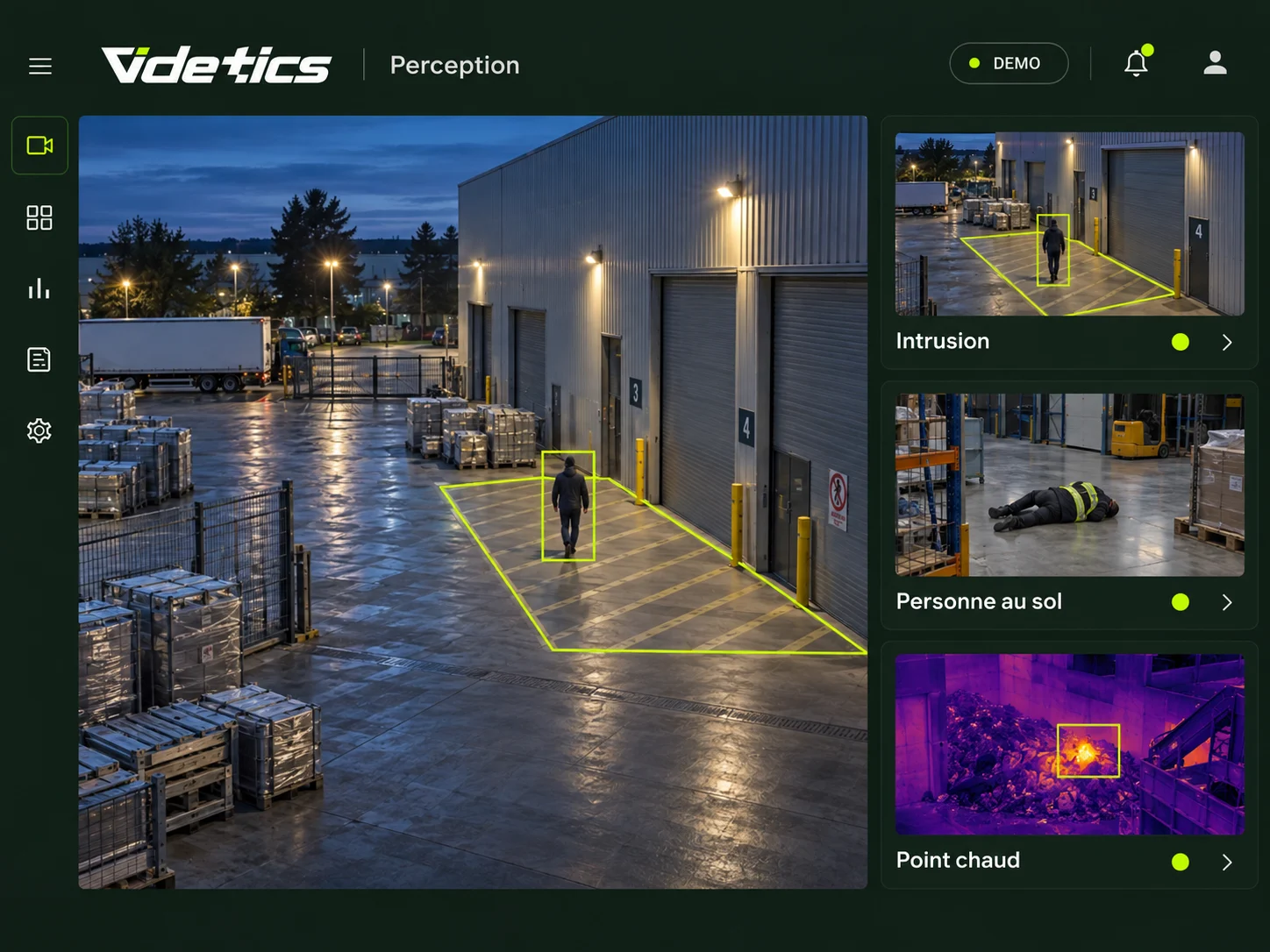
Why cameras alone are no longer enough
An operator cannot monitor every camera feed continuously.
Conventional motion detectors do not help: a cat, a branch or a reflection from a headlight can trigger them. After a few weeks, people stop paying attention.
Videtics Perception changes that: it watches all your cameras at once, understands what it sees and only alerts you when a specific situation occurs.
Seven situations Perception detects on your cameras
Each situation is a scenario you enable for individual cameras, with your own zones, schedules and alert recipients. Start with one and add more as you go.
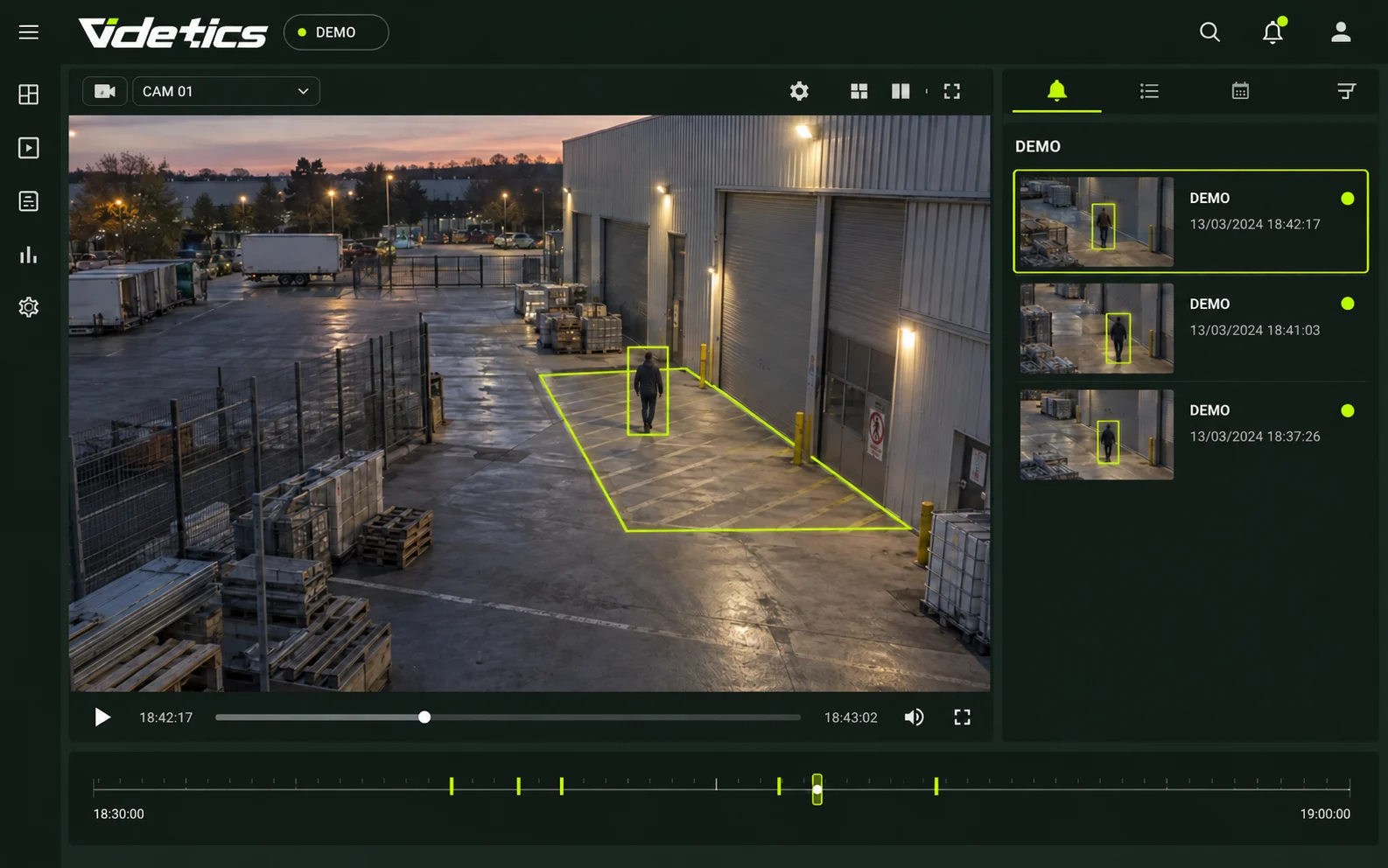
Intrusion detection in a protected area
The challenge. An industrial site, a depot or a station's technical area should be empty at night. Yet perimeter alarms trigger for almost anything.
What Perception does. Draw the zone on the camera image and set the monitoring hours. Perception distinguishes a person or vehicle from an animal, a branch or a reflection. With a thermal camera, which detects heat and works at night without lighting, detection operates in complete darkness without distance adjustment.
What you receive. Within seconds, an alert with an image of the intrusion, delivered to your VMS (the software that displays your camera feeds), by text message or by email.
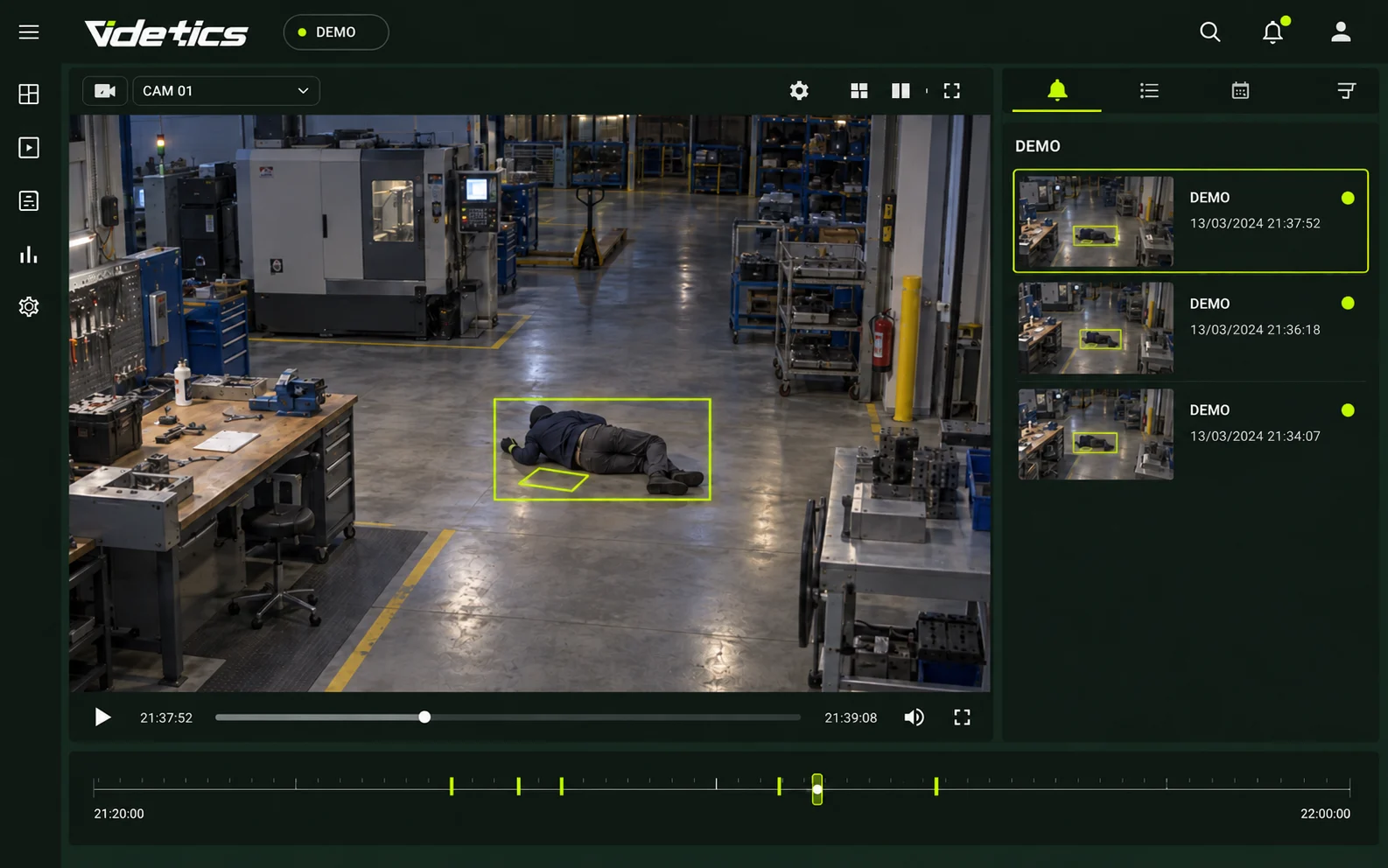
Fall and person-down detection
The challenge. A lone worker on a night shift, an older visitor in a lobby or a spectator in a stadium aisle: an unwitnessed fall can leave someone waiting a long time for help.
What Perception does. It analyses people's posture — standing, seated or lying down — to detect a fall, someone remaining on the ground or a person showing signs of weakness.
What you receive. An immediate alert to the security desk or on-call manager, with the relevant camera and image, so someone can be sent straight away.
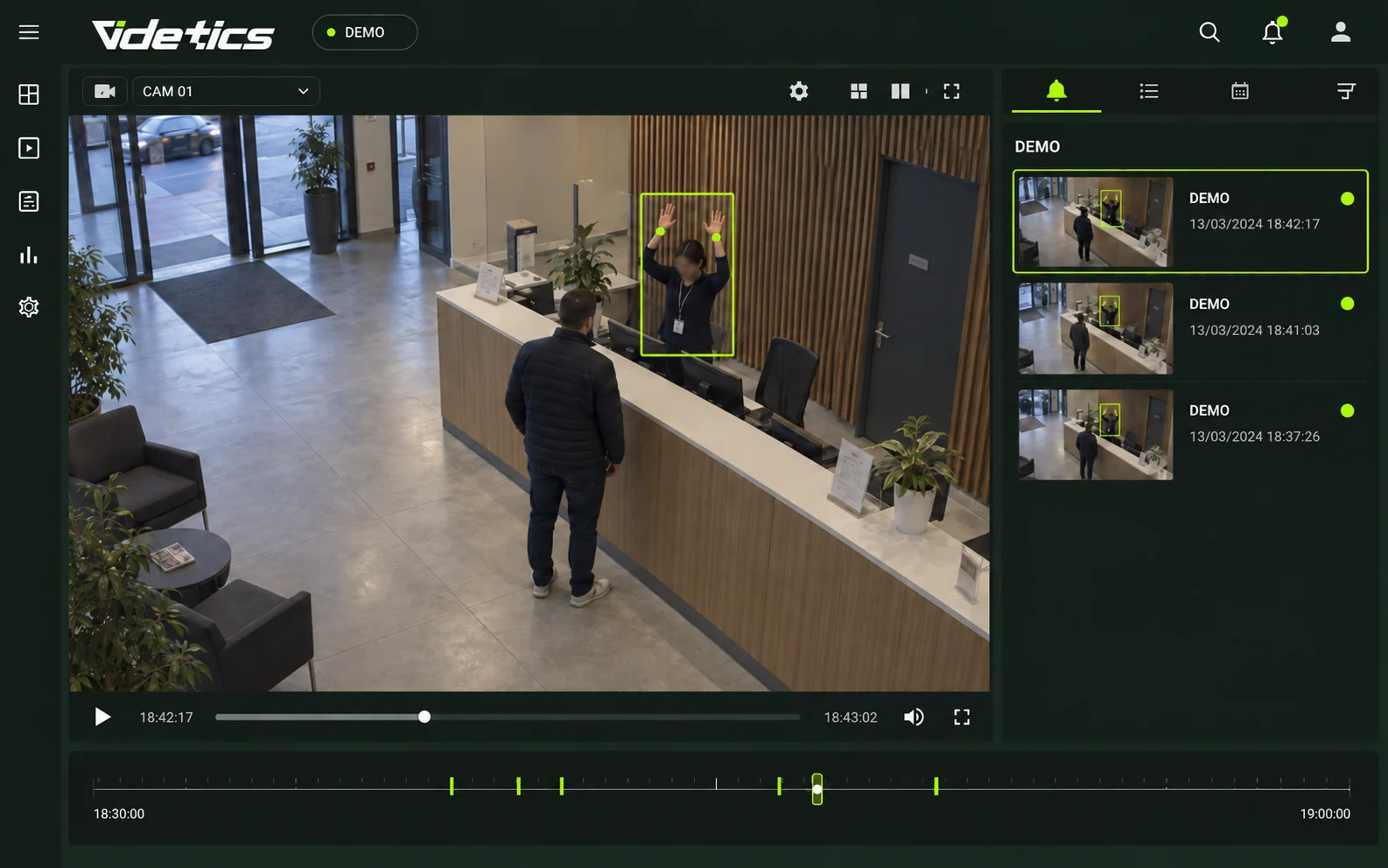
Silent assault alert (hands raised)
The challenge. At a ticket counter, checkout or reception desk, an employee under attack may be unable to call for help.
What Perception does. It recognises the hands-raised posture and triggers an alert without any signal at the scene.
What you receive. A discreet alert to the control room, where operators can check the image and contact the emergency services.
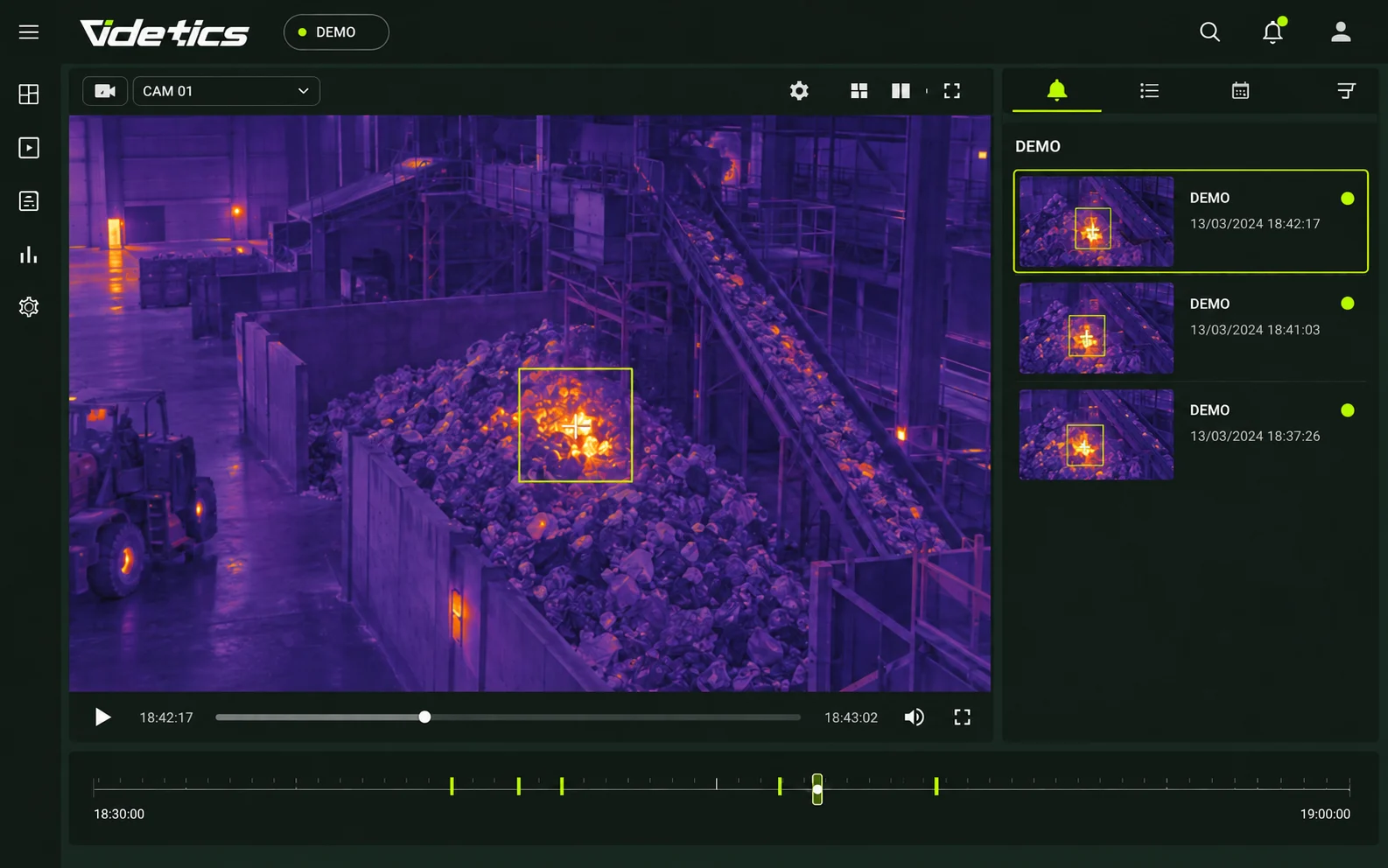
Early fire detection (hot spots)
The challenge. In a factory, sorting facility or vehicle car park, the first few minutes of a fire are critical.
What Perception does. Using your thermal cameras, it detects an abnormal hot spot and distinguishes it from machinery operating at its normal temperature.
What you receive. A location-specific alert before smoke reaches a conventional detector.
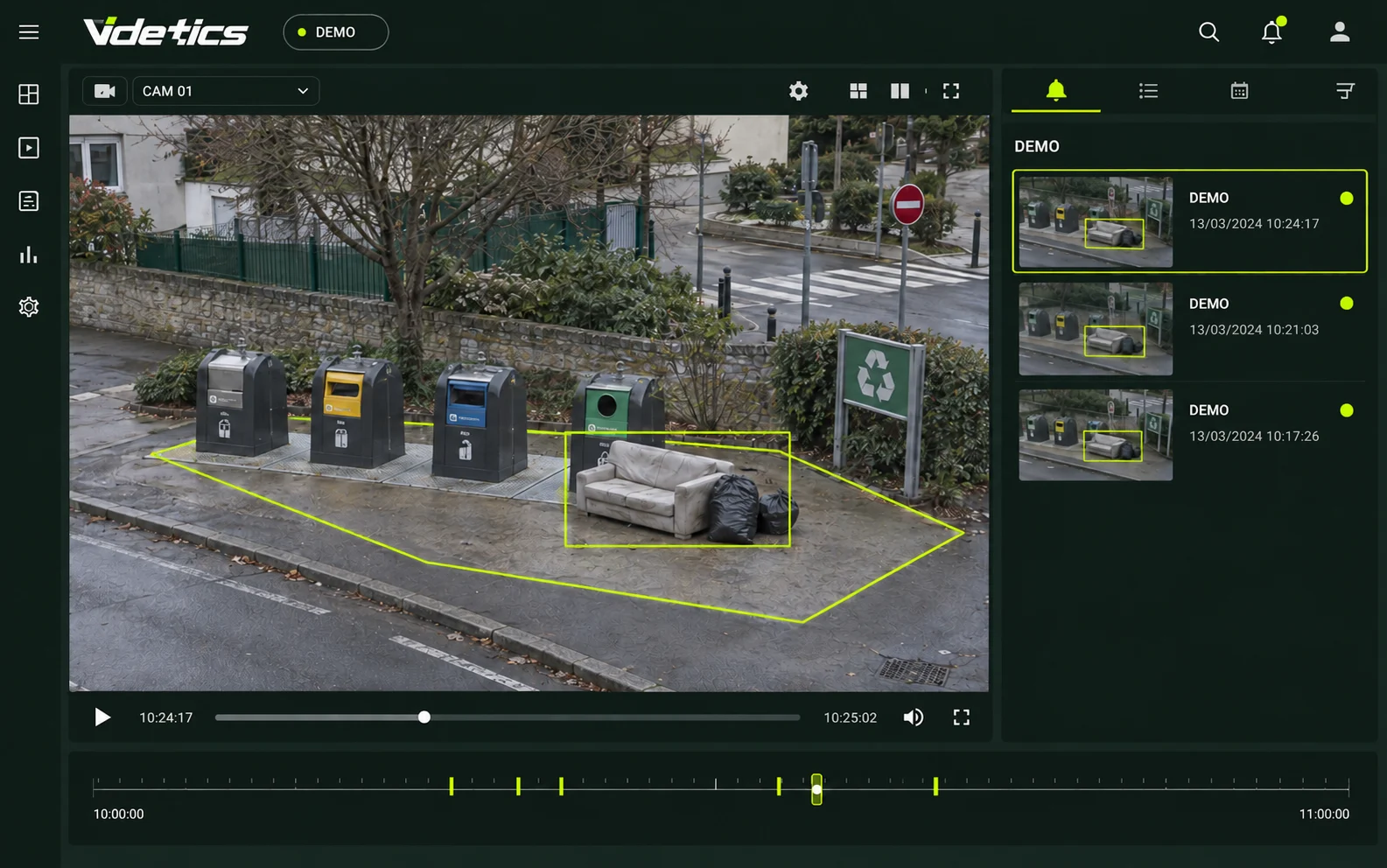
Fly-tipping detection
The challenge. Rubbish bags left beside bins or bulky waste dumped in the street: the council discovers them the next day, without knowing who left them or when.
What Perception does. It monitors waste collection points and detects objects left outside the bins or vehicles stopped for an unusually long time.
What you receive. A timestamped alert with an image, so you can respond quickly, arrange collection and compile a case file.
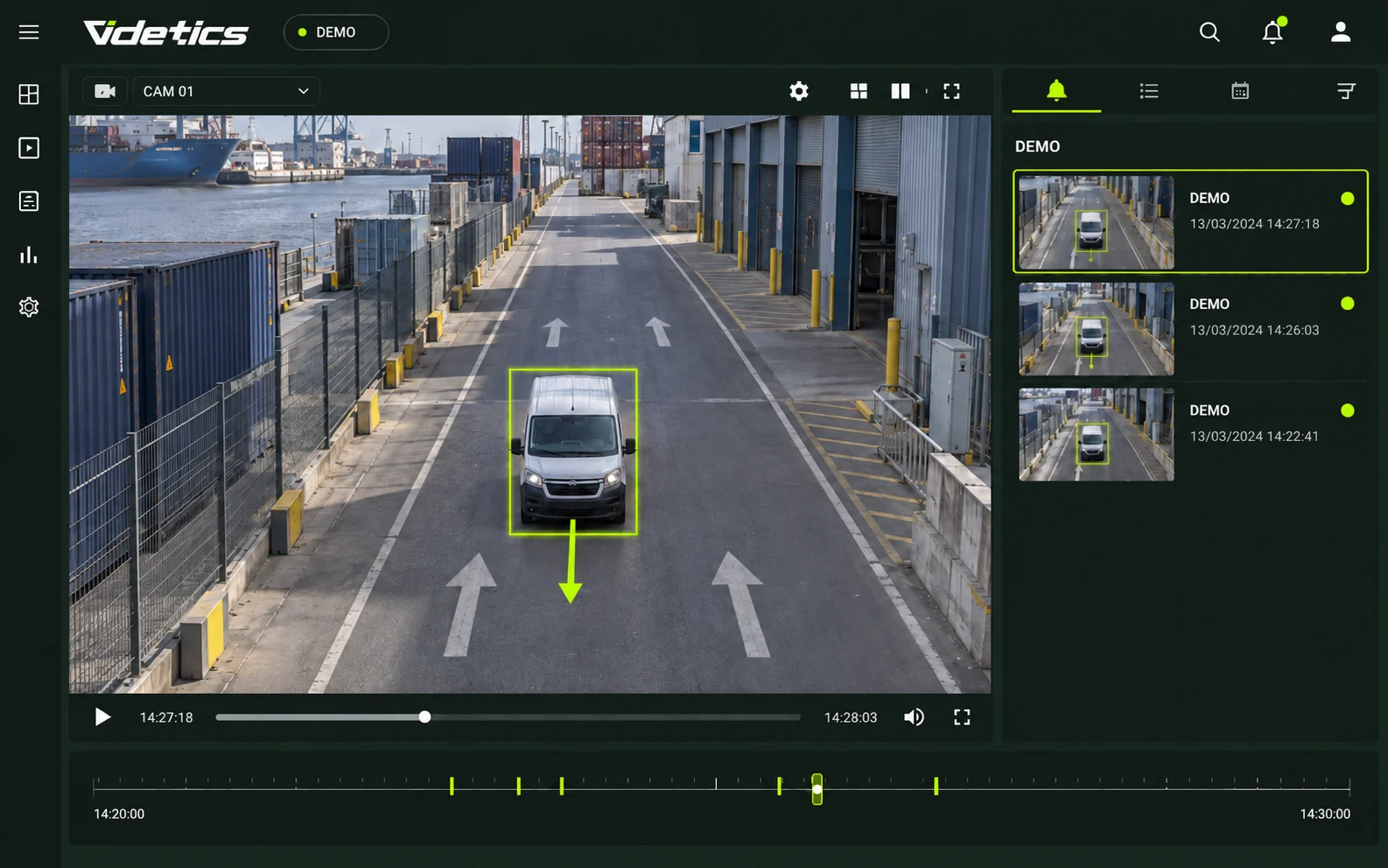
Wrong-way vehicles
The challenge. A motorway slip road, a port access lane or a one-way car park: a vehicle travelling the wrong way puts everyone at risk.
What Perception does. It knows the permitted direction for each lane and detects vehicles travelling against it.
What you receive. A real-time alert to the control room, so operators can activate warning signs or send a response team.
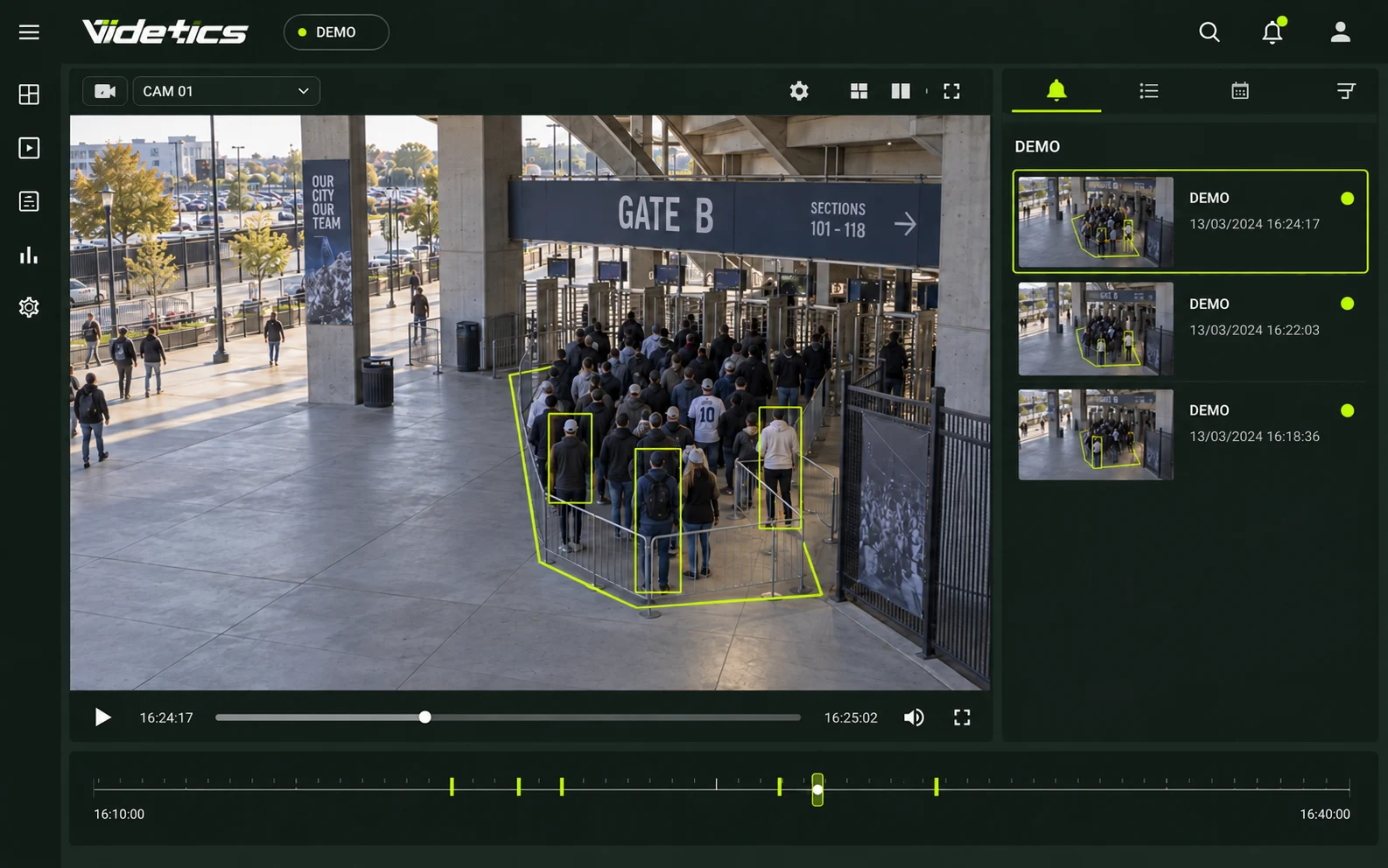
Crowd formation and unusual density
The challenge. A gathering forms at an entrance, a queue spills onto the road or a stadium aisle becomes overcrowded.
What Perception does. It counts people within a zone and compares the total with a threshold you set.
What you receive. An alert when the threshold is exceeded, so you can open another entrance or send staff before the situation escalates. For comprehensive crowd management, see alsoTechnis crowd management.
Fewer false alarms: what really matters
If only one alert in ten is useful, your teams will stop checking. Our work is all about distinguishing what matters from what merely moves.
Perception's AI models have been trained on more than 1.2 million images and 4 million annotated objects, captured by conventional and thermal cameras by day, at night and in the rain. They distinguish people from animals, shadows and reflections.
Adjust the sensitivity for each scenario: a stricter setting to avoid missing an intrusion, or a more permissive one to reduce interruptions.
How it works in practice
Connect your cameras. A Videtics server is installed on your premises or in a private cloud in Europe. It receives feeds from your VMS or directly from your cameras via ONVIF or RTSP. Up to 300 streams per server.
Choose your scenarios. Enable the situations to detect for each camera and draw the zones on the image.
Recipients and schedules. Set who gets notified, through which channel and at what times.
Go live. Our team helps you fine-tune sensitivity during the first few weeks.
Who it is for
Cities and control rooms
Intrusions, fly-tipping and gatherings: your security cameras become useful every day, not just after an incident.
Industrial and energy sites
Lone workers, early-stage fires and night-time access: protect your people and facilities without hiring a dedicated monitoring team.
Events and stadiums
A fall in an aisle, crowding at an entrance or raised hands at a checkout: receive an alert before the situation escalates.
Ports and maritime
Quays, restricted areas and wrong-way traffic: thermal imaging keeps monitoring effective at night and in poor weather.
What changes for your teams
Your operators focus on what matters, rather than fifty screens.
Teams respond sooner, with an image to inform their decisions.
Every alert leaves a record: date, camera, image and response. Useful for a police report or an incident review.
Start with one scenario and a few cameras; expand once you have seen the value.
Everything is included in the Safety package; add posture and attribute options when you need them.View packages
Security that respects people
Perception detects situations, not identities. There is no facial recognition, and faces can be blurred at source. Images stay on your premises; alerts contain only what is needed to make a decision. We provide documentation for your data protection impact assessment (DPIA) and support your data protection officer.
Frequently asked questions
Do I need special cameras?
No. Perception works with your existing IP cameras from any manufacturer, provided they support ONVIF or RTSP, and with your thermal cameras. It reads streams through your VMS or directly. There is nothing to replace.
Does it work at night and in bad weather?
Yes, within the limits of what the camera can see. At night, a conventional camera with some lighting is sufficient for intrusion detection; in complete darkness or fog, a thermal camera gives the best results. Our AI models are trained on night-time and rainy scenes.
How many false alarms will I receive?
Far fewer than with a motion detector, because Perception recognises what it sees rather than reacting to changes in pixels. The exact level depends on the scene and sensitivity settings, which we fine-tune with you during the first few weeks.
Can a local authority use these detections?
Perception's detections do not identify anyone: they recognise situations such as an intrusion, dumped waste or a fall. The applicable framework depends on your use case and country. We provide technical documentation for your impact assessment and work with your data protection officer and the relevant authorities where necessary.
Can we start with just a few cameras?
Yes — that is what we recommend: a pilot site, three to ten cameras and one or two scenarios. Then expand camera by camera, without reinstalling.
Explore the solutions and the product
Your cameras already see the intrusion. Get alerted.
Show us three cameras and one scenario: we will demonstrate alerts using your own footage.
How alerts reach your teams
An alert is only useful if it reaches the right person with enough information to act. Perception sends each alert with a snapshot, the camera name and the time, through your chosen channels:
Your VMS or security management platform: the alert appears in Milestone XProtect, Genetec Security Center or your monitoring software, with the video on screen. The operator verifies the situation without switching tools.
Text message and email: for an on-call manager or an officer in the field.
The Perception app: on web and mobile, with an alert history and response records.
You decide who receives which alerts, at what times and for which cameras. Every alert is logged: who viewed it, when and what action was taken.