
Solution · Video investigation
Video investigation: understand events to help keep public spaces safe
Squares, stations, parks and public buildings: find relevant footage after a report and put events in context. Combine video search with passage counts, occupancy counts and flow analysis to understand how spaces are used, without facial recognition.
Integrated with Milestone XProtect and Genetec · No facial recognition · Data kept on your premises
Made in France — software designed and developed in France.
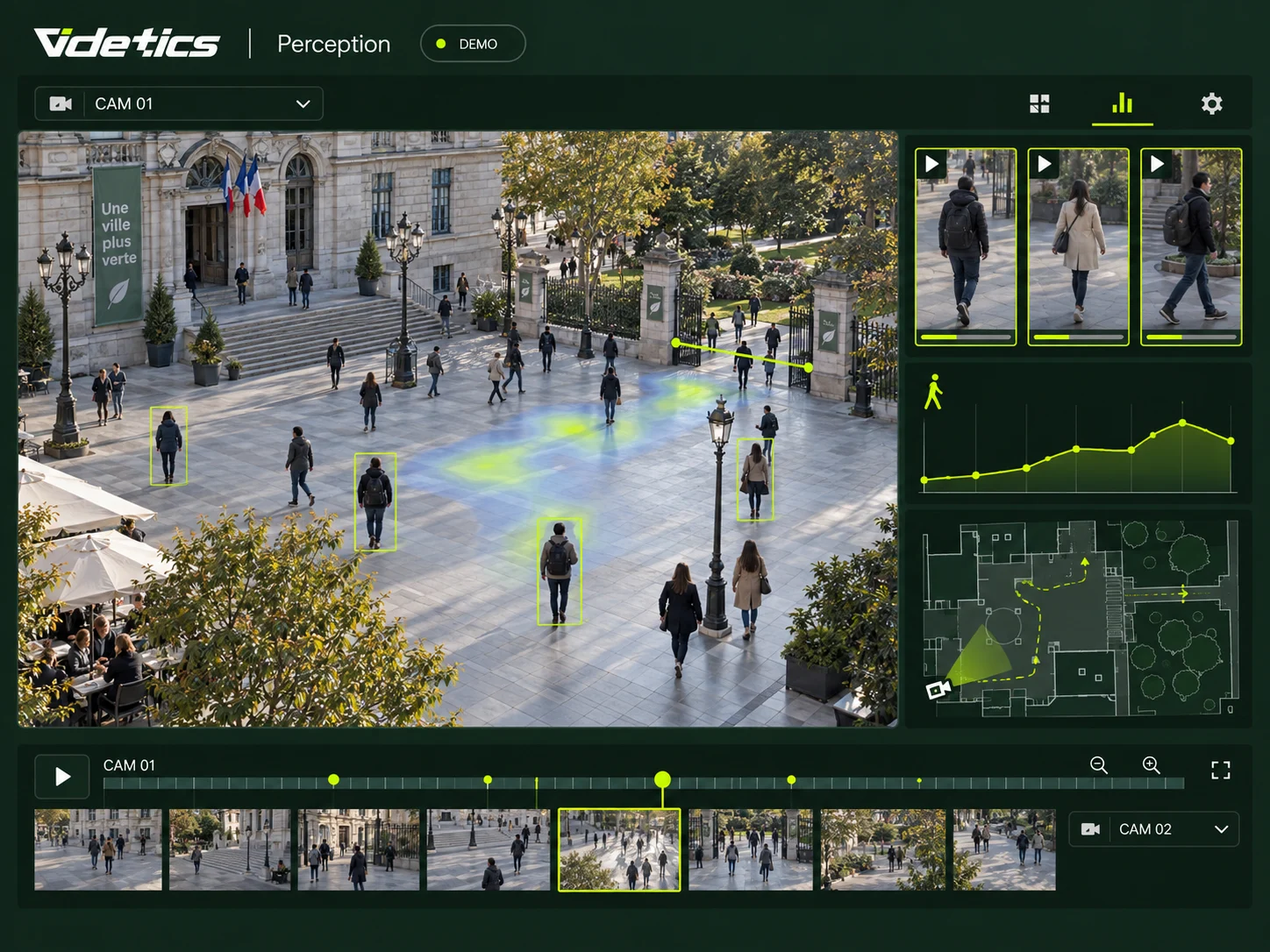
Find the facts, understand the context
A report in a square, an incident at a station or congestion outside a public facility: operators need to find relevant footage and understand what was happening around it.
Attribute-based search helps select appearances for review. Counting and flow indicators provide a complementary view: entrance footfall, zone occupancy and changes in movement over the period.
Search, count and understand flows
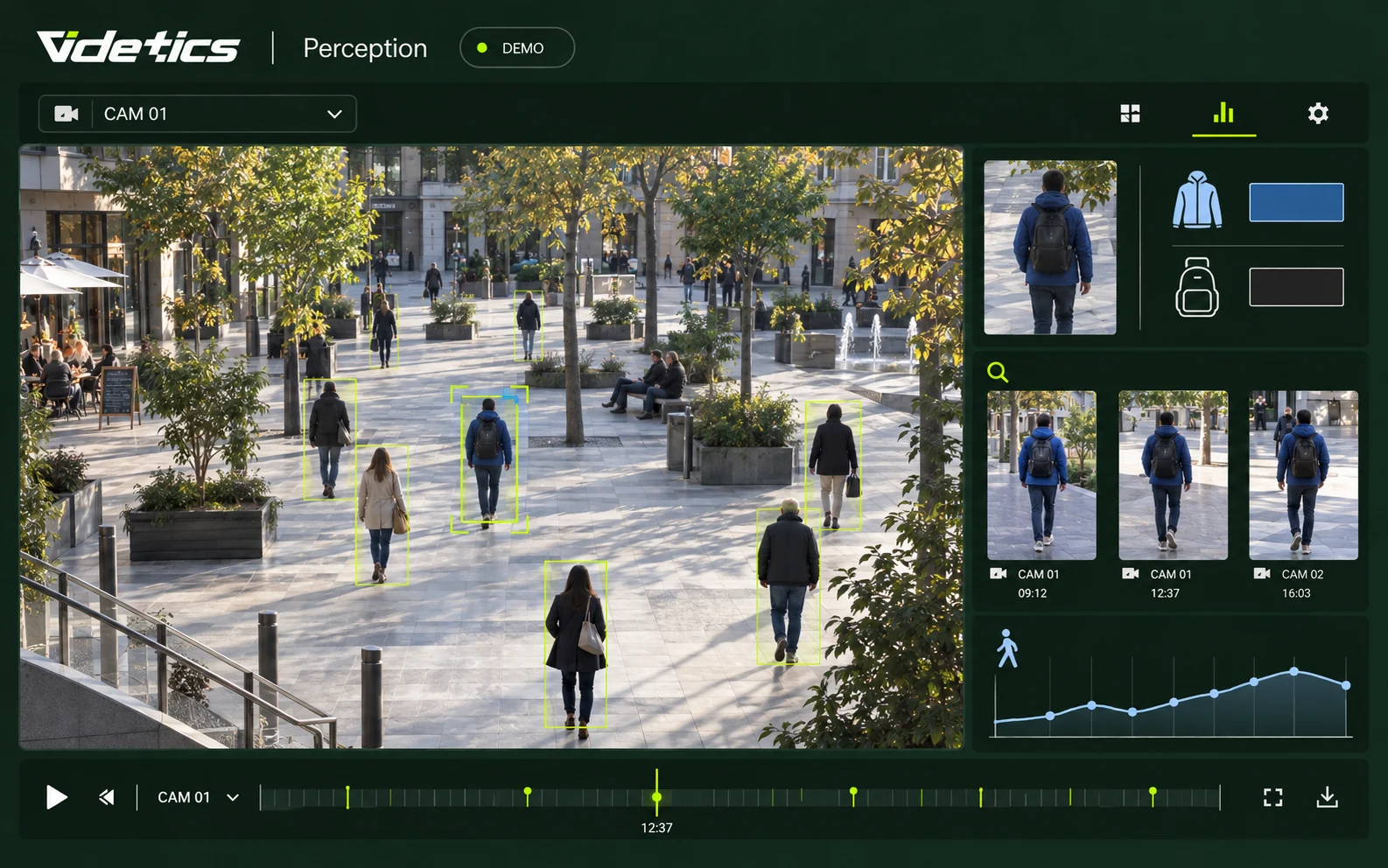
Find a person by clothing and accessories
The challenge. You have a description: a clothing colour, a bag, a hat and a time window. Not a face — and facial identification is not an option in your operating framework.
What Perception does. Select the criteria: upper- and lower-body clothing colour, clothing length, hat, backpack or handbag, time window and cameras. Perception compares them with the anonymous descriptions it has generated continuously.
What you receive. A list of timestamped thumbnails, ranked by similarity. One click opens the video at the right moment.
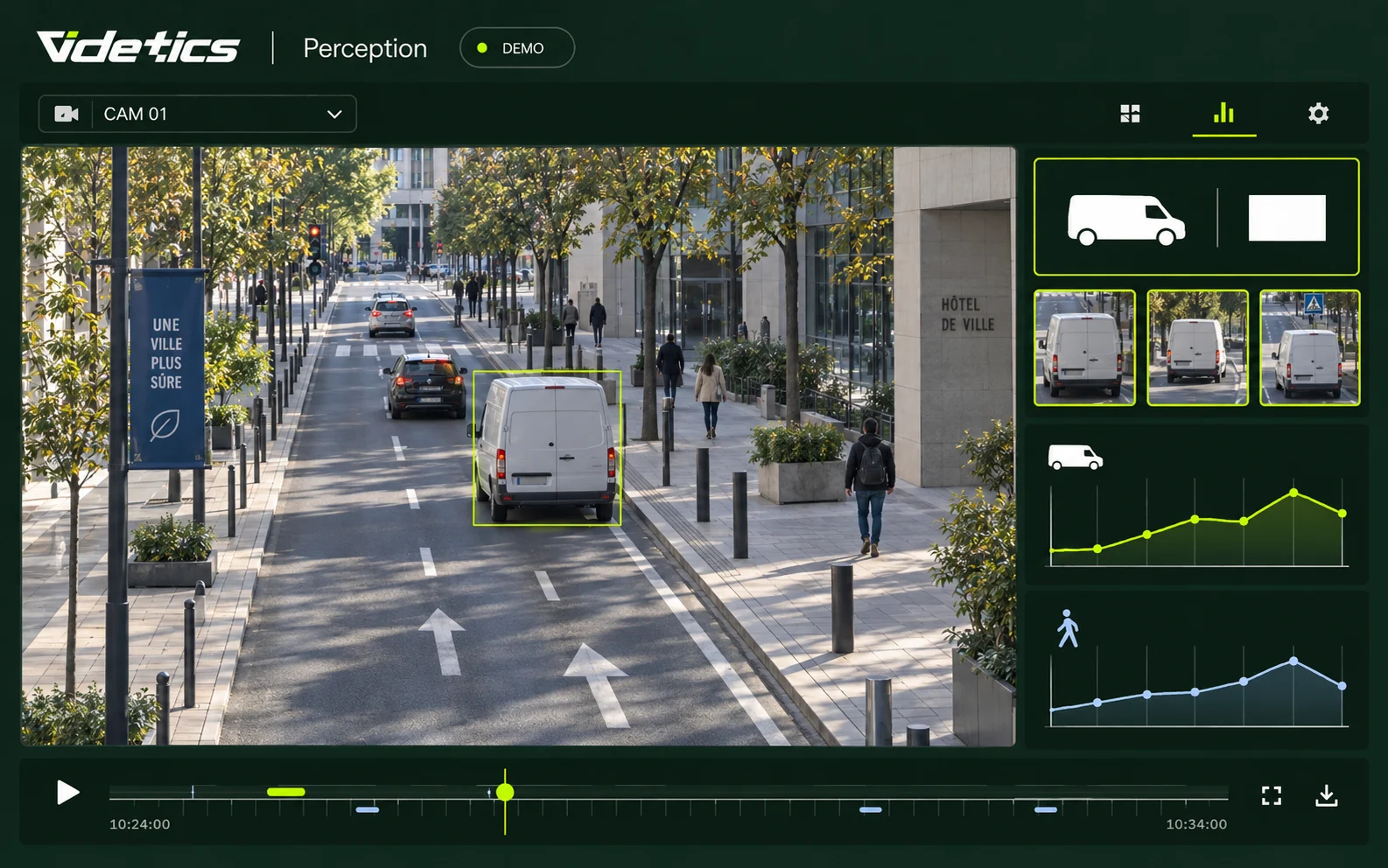
Find a vehicle by type and colour
The challenge. A witness describes a white van heading north. Without a number plate, finding it in hours of footage is difficult.
What Perception does. Specify the category — car, van, truck, heavy goods vehicle, motorcycle or bicycle — one of the 12 recognised colours, the time window and the cameras.
What you receive. All matching appearances, with the direction of travel, to reconstruct a route from camera to camera.
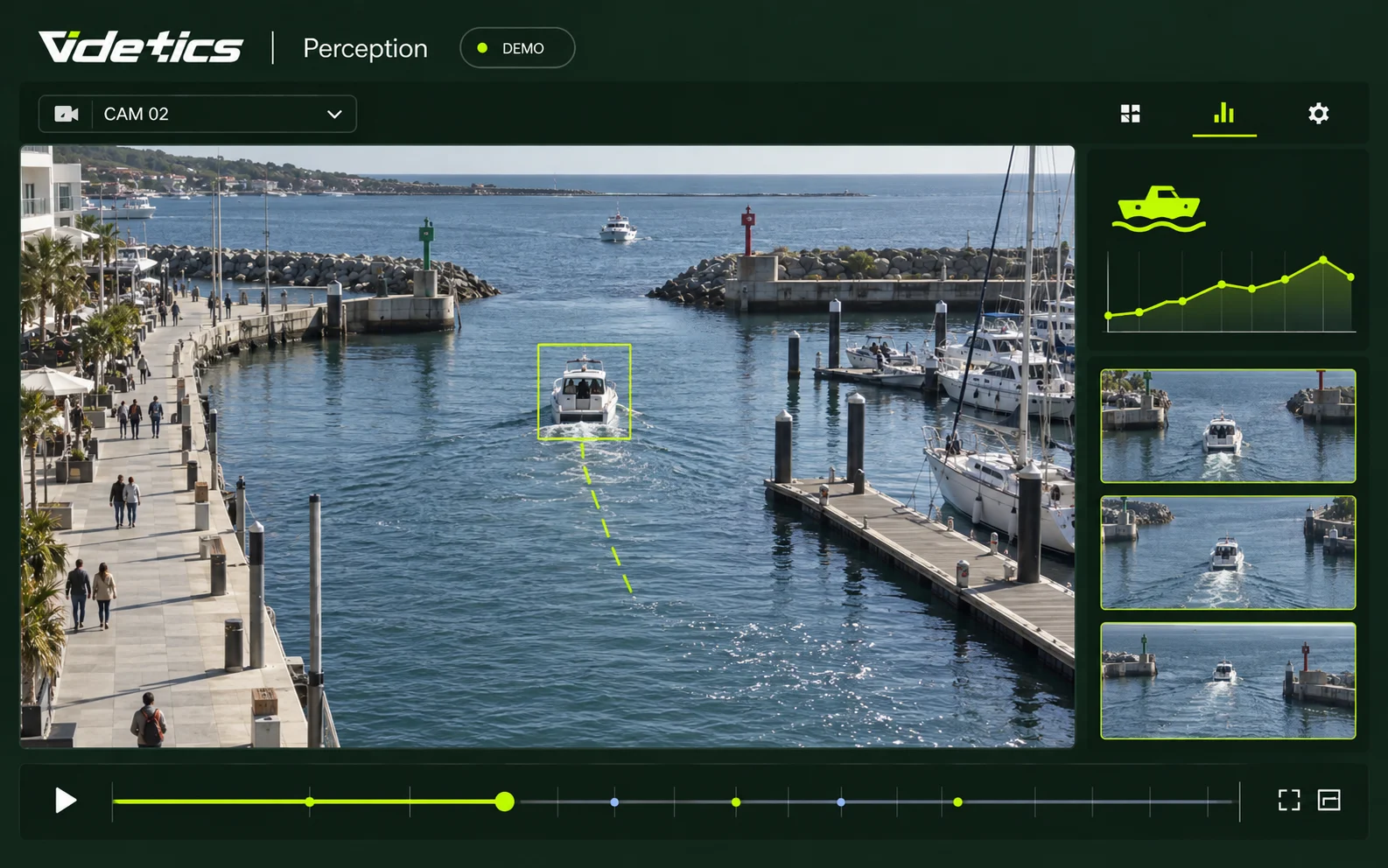
Find a boat
The challenge. In a port, on a waterway or in a restricted area, you need to find out which vessel passed through and when.
What Perception does. It detects and classifies boats just as it does vehicles, using conventional or thermal cameras.
What you receive. Timestamped appearances by camera, ready to export.
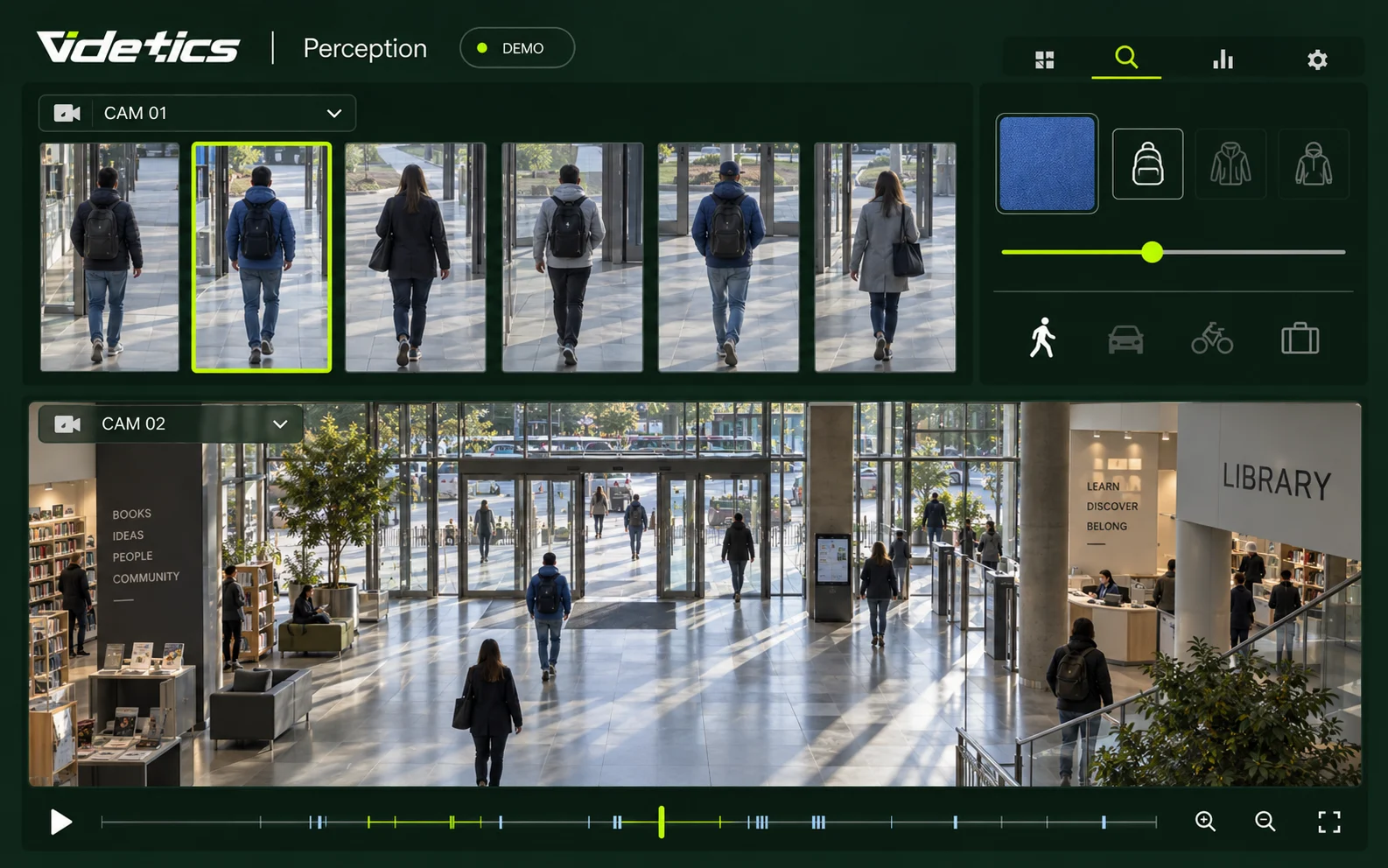
Fine-tune your search
The challenge. Too narrow a search can miss the right match; too broad a search leaves a hundred results to review.
What Perception does. A tolerance slider broadens or narrows the search in real time.
What you receive. The right balance in two or three attempts, without reprocessing the footage.
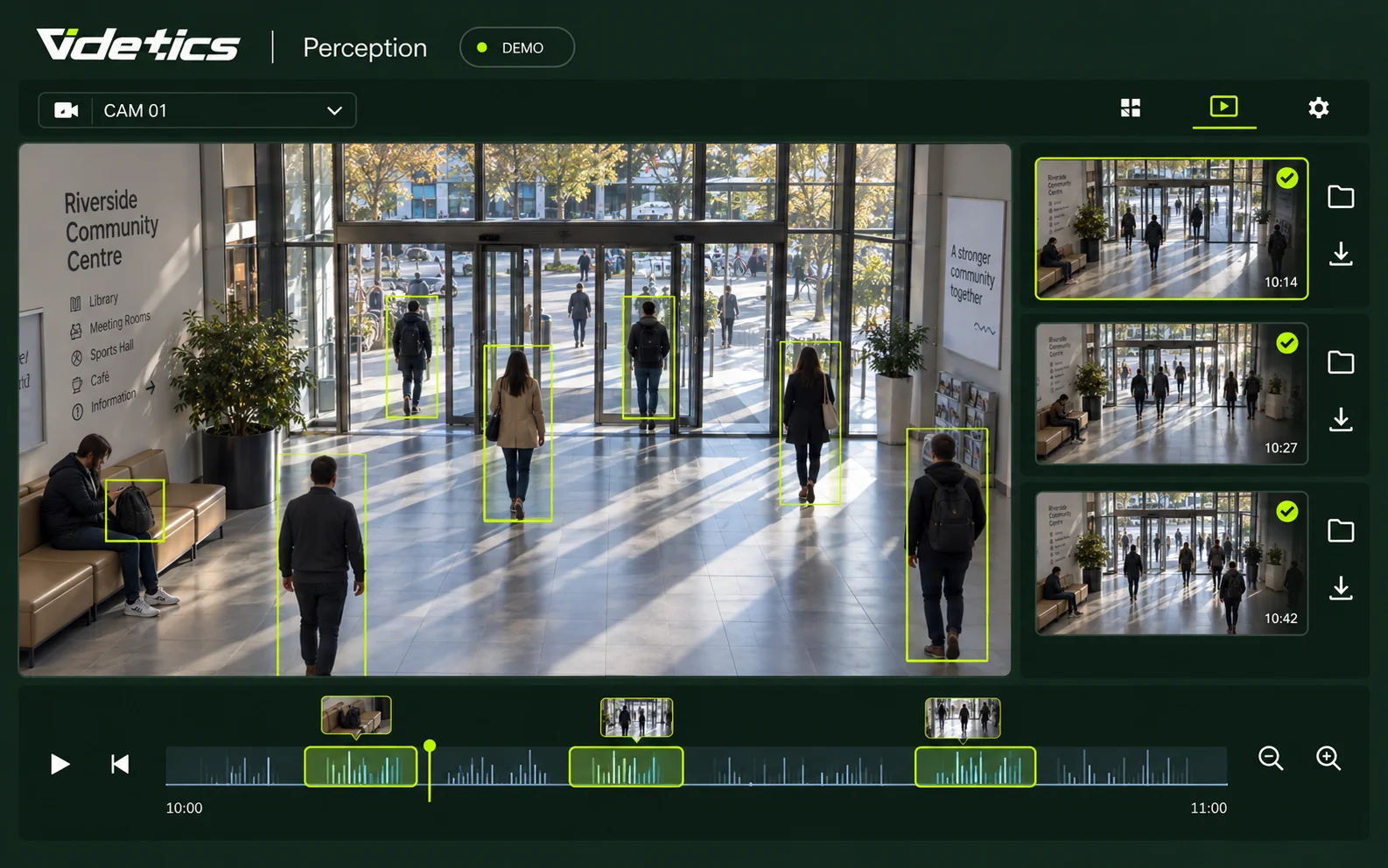
Investigation files and exports
The challenge. A case involves several searches and clips, sometimes with a judicial request to prepare for.
What Perception does. Each search and clip is stored in a named case file, with its timestamp and source camera.
What you receive. A complete file, exportable in a few clicks, with a record of who searched for what.
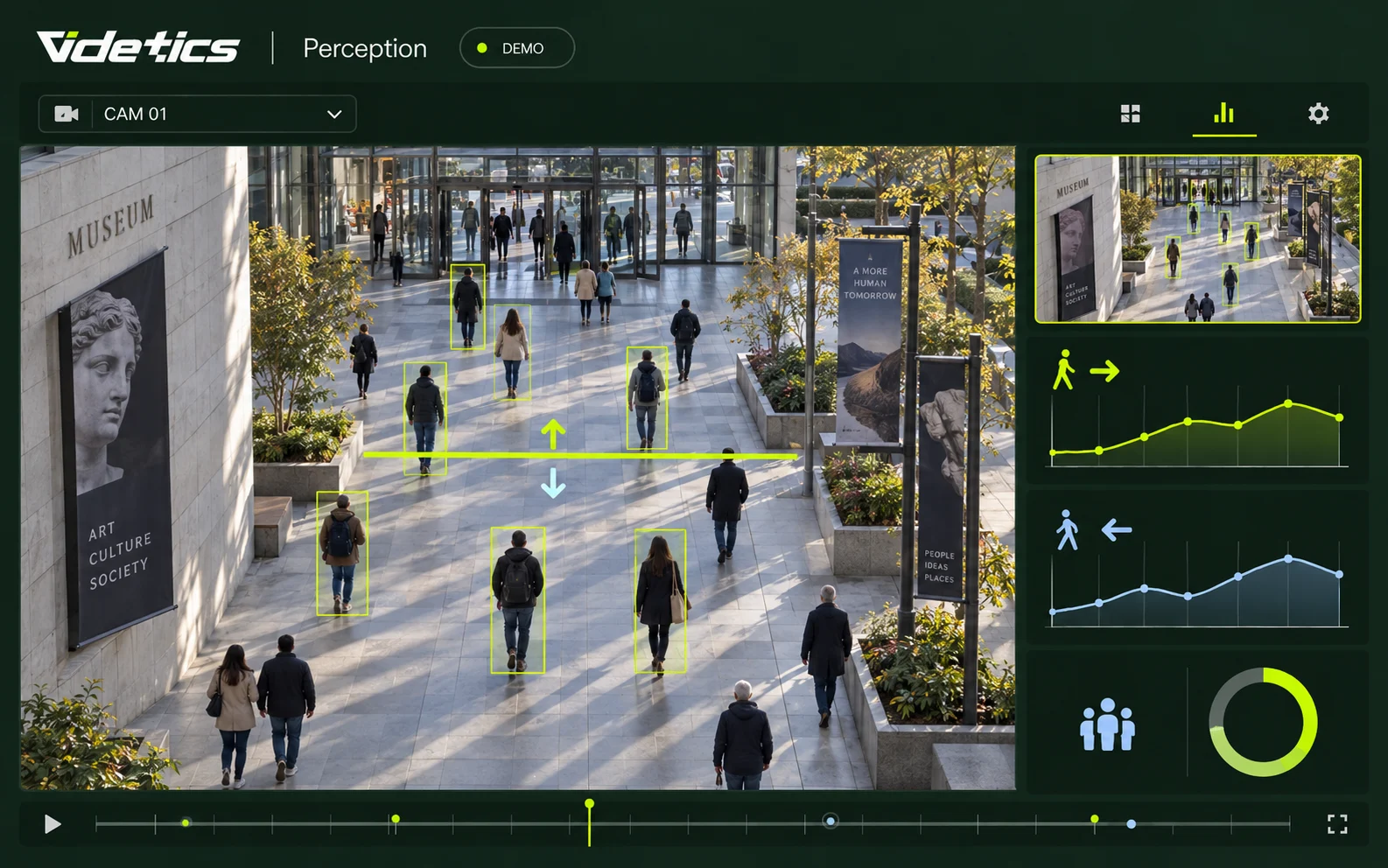
Counting passages and people in public spaces
The need. How many passages were recorded at an entrance? How many people were present in an area when an event occurred?
The analysis. Alongside video search, counting functions measure line crossings by direction and count people present in areas visible to the cameras.
What you receive. Metrics by entrance, zone and time period to put footage in context. Passage counts are not unique visitor counts: the same person may cross a line more than once.
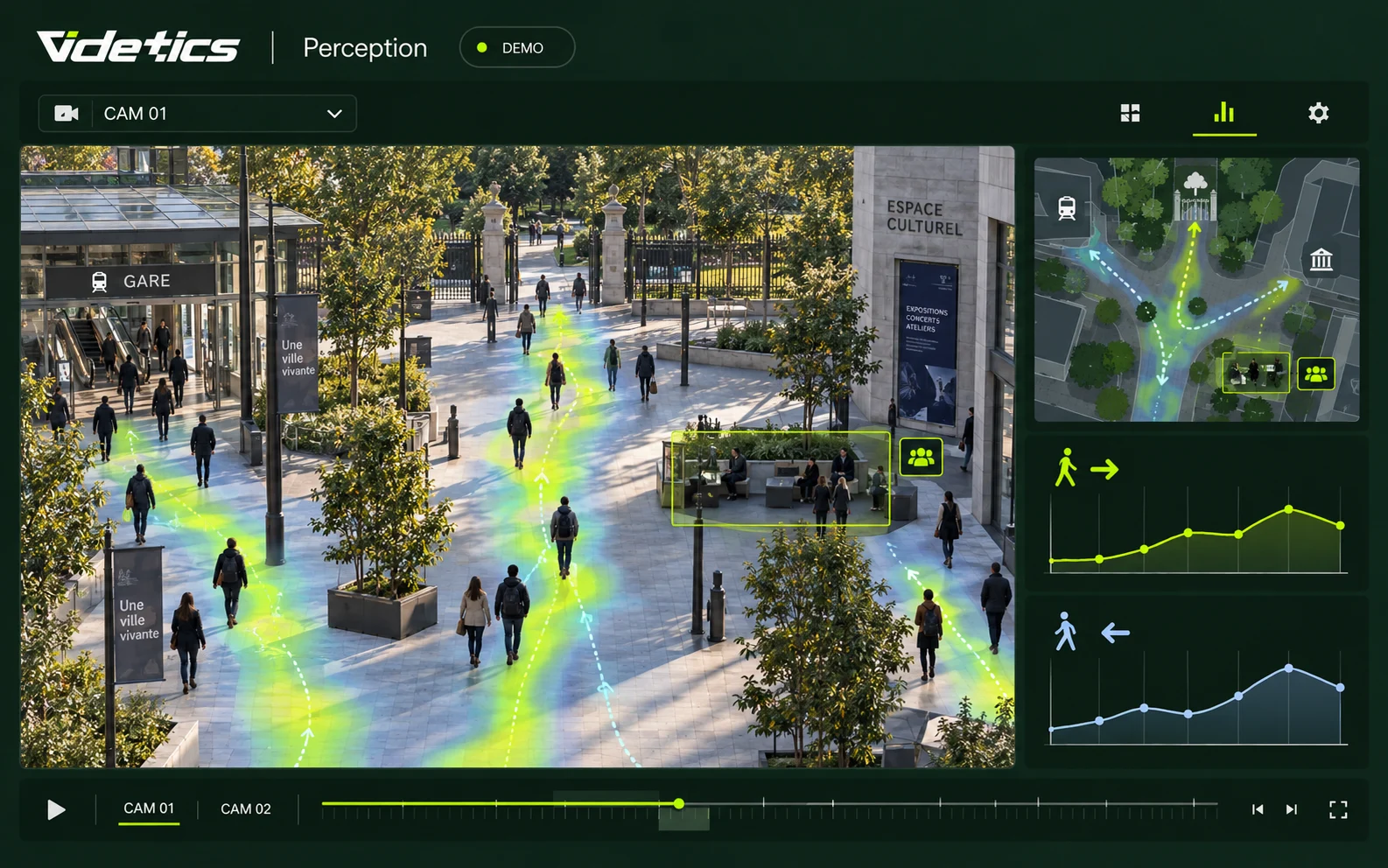
Flow analysis around an event
The need. Which entrances were busiest? Where did flows concentrate before, during and after an event?
The analysis. Footfall trends and heatmaps, where enabled on the relevant cameras, help show directions of travel and space occupancy. An operator compares them with video clips to verify the facts.
What you receive. Context to help adapt pedestrian routes, staffing and visitor management. These aggregate indicators do not identify individuals or automatically establish their involvement.
Video search and footfall analysis complement each other. Counting and flow functions depend on the modules enabled and the data available for the period. Search results are possible matches that an authorised operator must verify against the footage.
Directly from your VMS
Your operators do not need another tool. With the Videtics plugins for Milestone XProtect and Genetec Security Center, attribute-based searches start from the interface they already use. Results open the video at the right moment in the VMS, and exports follow the usual procedure. For other VMS and security management systems, descriptions (metadata) are sent to compatible platforms.
How it works in practice
Continuous analysis. A Videtics server on your premises reads your streams and generates an anonymous description for every person, vehicle or boat detected: type, colours, accessories, time and camera. These descriptions are indexed, not faces.
Instant search. When you run a search, Perception queries this index. Results arrive in seconds, regardless of the period covered.
Visual verification. Every result links to the original video, in Perception or your VMS.
Retention. Descriptions are kept for the period you set, aligned with your recording retention policy, then deleted.
Search covers the streams analysed since Perception was activated.
Who it is for
Cities and control rooms
Respond quickly to a judicial request, locate a reported vehicle or document fly-tipping: an investigation takes minutes instead of a day.
Transport and stations
Abandoned objects, reported individuals and platform incidents: find the relevant appearance across the entire network.
Ports and maritime
Which vessel entered the zone, at what time and by which route?
Industrial sites
A forced entry or an unknown vehicle on site: reconstruct the route from camera to camera.
Retail and shopping centres
Find footage of a theft or checkout incident without taking an officer away from other duties for half a day.
Public spaces and public-access facilities
Squares, parks, libraries, museums and municipal facilities: document events, measure footfall and identify areas where circulation and visitor management can be improved.
What changes
A search takes seconds instead of hours, keeping your operators available for live monitoring.
Respond to judicial requests on time, with a well-organised, traceable case file.
Reconstruct a route across multiple cameras — a task that is extremely difficult with manual review.
No facial recognition: a framework your elected representatives, data protection officer and residents can understand.
Video search is part of the Investigation package. Counting and flow analysis require the corresponding modules.View packages
Search without identifying
Perception describes silhouettes and objects: a colour, an accessory or a vehicle type. It does not recognise faces or read number plates by default. Descriptions remain on your server for the period you set, and every search is logged. We provide documentation for your impact assessment and support your data protection officer.
Frequently asked questions
Is this facial recognition?
No. Perception searches for visible attributes: clothing colour and length, accessories, and vehicle type and colour. It does not create facial templates or compare people against a database.
Do you read number plates?
Not by default. Vehicle search uses category, colour, time and direction of travel. Number plate recognition may only be considered in countries and contexts where it is permitted.
Can we search previously recorded video?
Search covers everything Perception has analysed continuously since activation.
How many cameras can a search cover?
All the cameras you select, with up to 300 streams per server and multiple servers accessible from a single interface. Response time remains a few seconds.
How long are descriptions retained?
For the period you choose, usually aligned with your video recording retention period. They are deleted automatically once that period ends.
Explore the solutions and the product
A clearer view of your public spaces starts with your footage.
Bring a practical use case: we will explore the video search and metrics that can support your teams.