
Sector · Retail and shopping centres
Understand your stores with the cameras you already have.
Footfall, popular areas, checkout queues and security: Videtics Perception turns store video feeds into useful insights and alerts for your teams.
A scope built around your needs and available camera views.
AI designed and developed in France. Part of the Technis group.
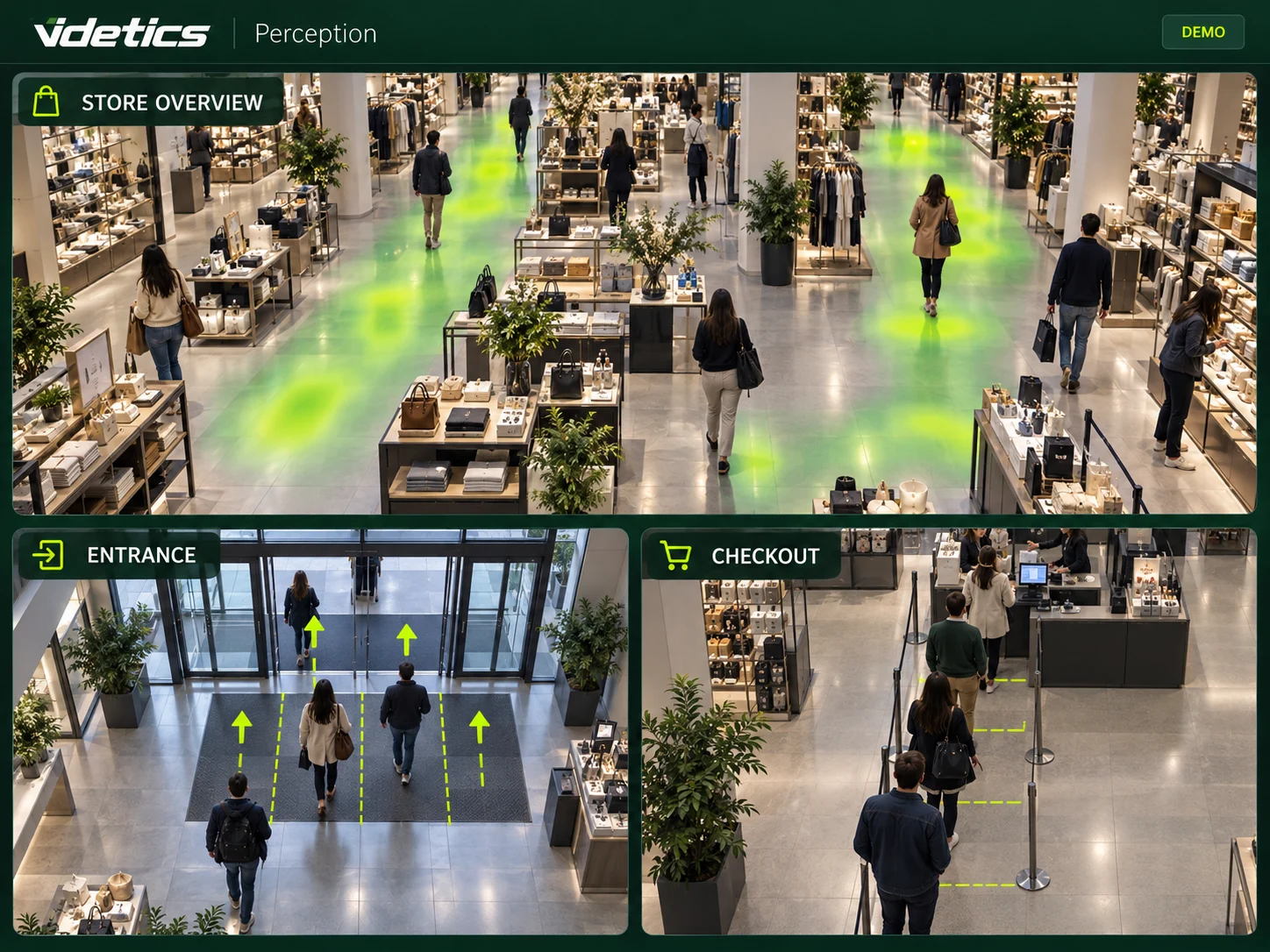
Physical retail deserves actionable insights.
You know your sales. But which entrances draw visitors, where do people gather, and when do queues build up? Your cameras can help answer these questions.
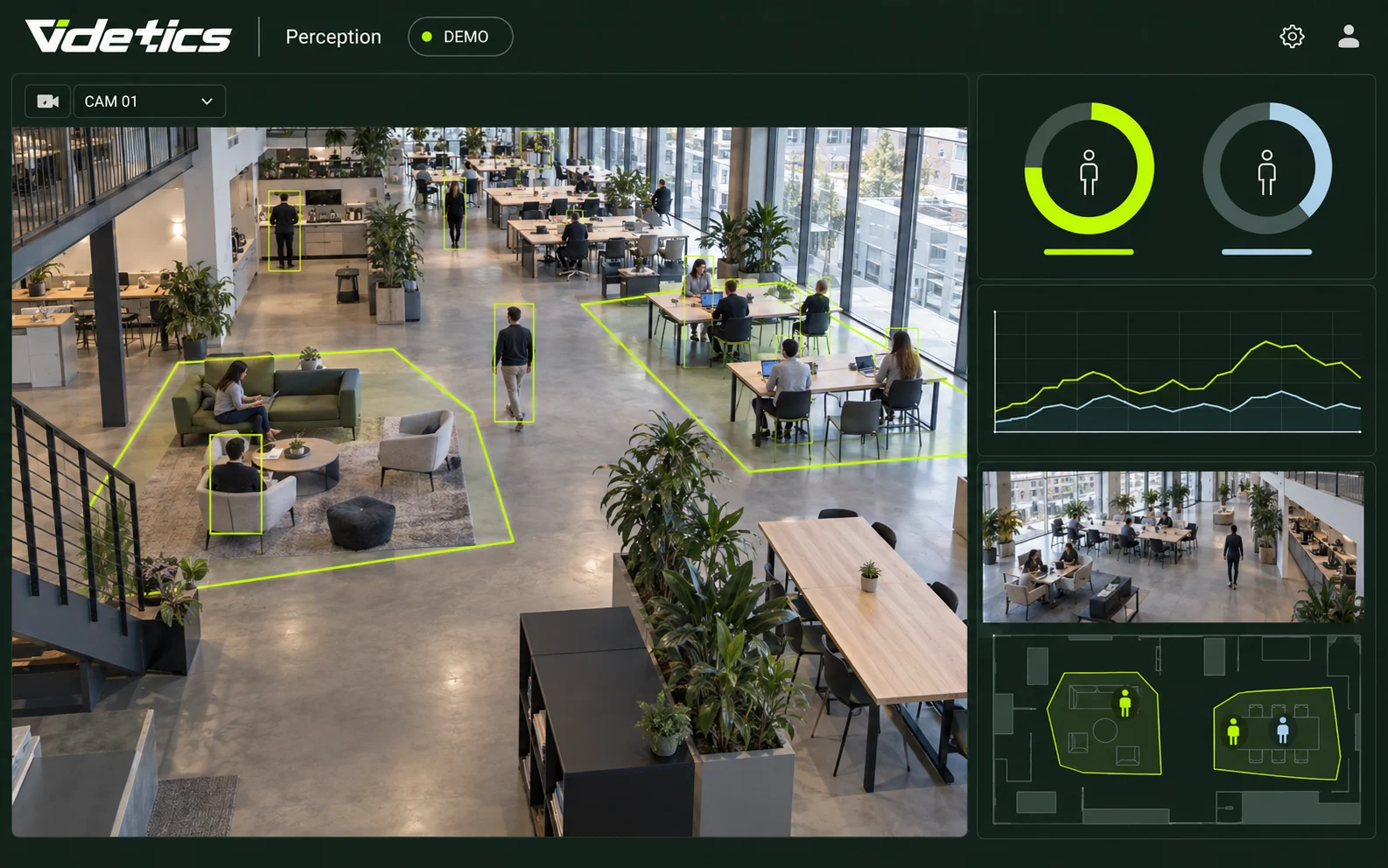
Videtics Perception analyses areas covered by suitable camera views. Use the findings to review a department layout, plan customer service capacity or check an alert.
Measure
Track footfall by entrance, area and period.
Understand
Compare flows, occupancy and dwell time.
Act
Support operational decisions and human verification of alerts.
Measure performance
From footfall to better decisions.
Use consistent methods across areas and periods before interpreting a change.
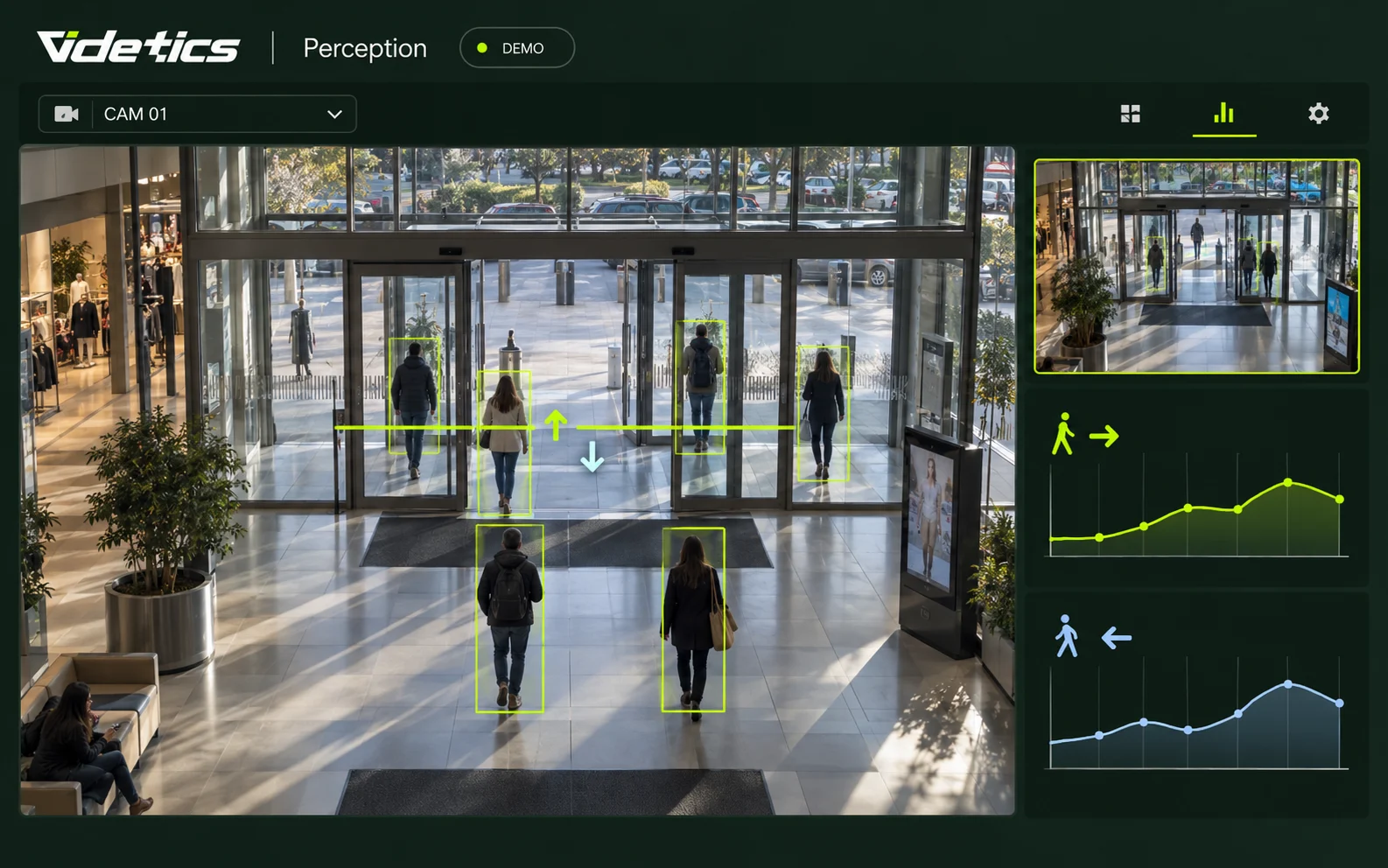
Entries and exits
Count passages in both directions by door, hour and day. Distinguish store entrances, mall access and collection points.
Store conversion
Compare receipts with entries for the same period, subject to available connectors. This ratio does not track individual purchases: groups, re-entry and staff can affect it.
Storefront appeal
Measure passers-by, stops and entries within authorised, covered areas. Analysing a mall corridor does not authorise filming a public pavement.
Dwell time
Estimate time spent within an observable area. Measuring a complete visit depends on coverage and a validated method.
Understand visitor flows
A new view of your departments.
Identify busy areas and overlooked spaces, without assuming continuous individual tracking across every camera.
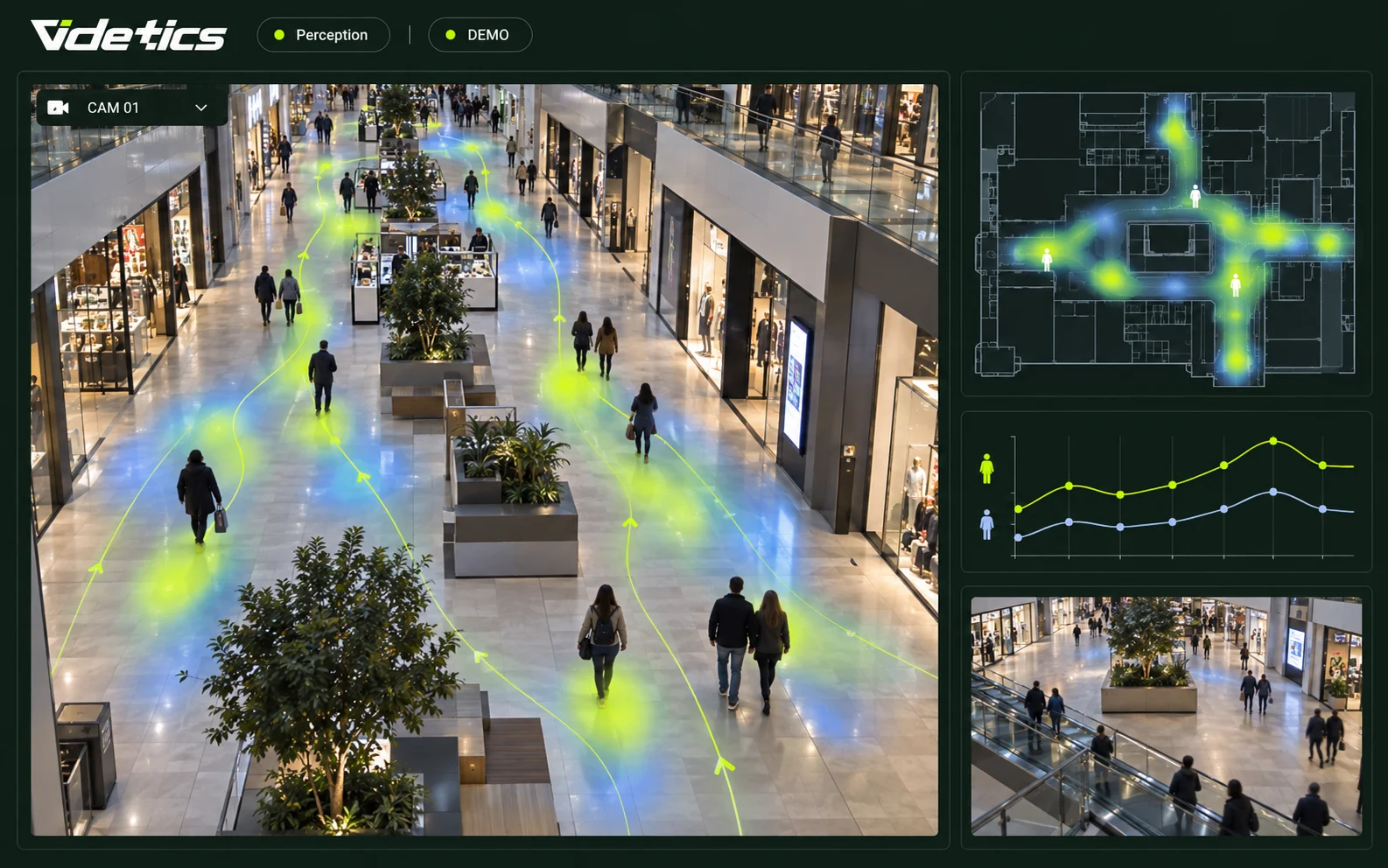
Heatmaps
Visualise the distribution of passages and concentrations in analysed areas.
Department insights
Compare footfall and dwell time to understand how each space is used.
Movement between areas
Observe directions at defined counting points, including stairs and floor entrances.
Merchandising
Compare periods before and after changing an endcap, layout or promotion. Account for the calendar and overall footfall.
Improve the store experience
Less waiting. Better-informed teams.
Plan around observed demand without using cameras to assess individual employee performance.

Checkout queues
Monitor queue length and estimated waiting time. Camera views, thresholds and checkout configurations are validated during the pilot.
Service and collection
Identify peaks at service desks, click-and-collect points and collection areas.
Team planning
Compare footfall patterns with opening hours and service requirements.
Parking and access
Measure entries and occupancy in covered areas and identify congested access points.
Protect people and premises
Useful alerts when they matter.
Detection helps your teams verify a situation. It does not prove an offence or replace emergency procedures.
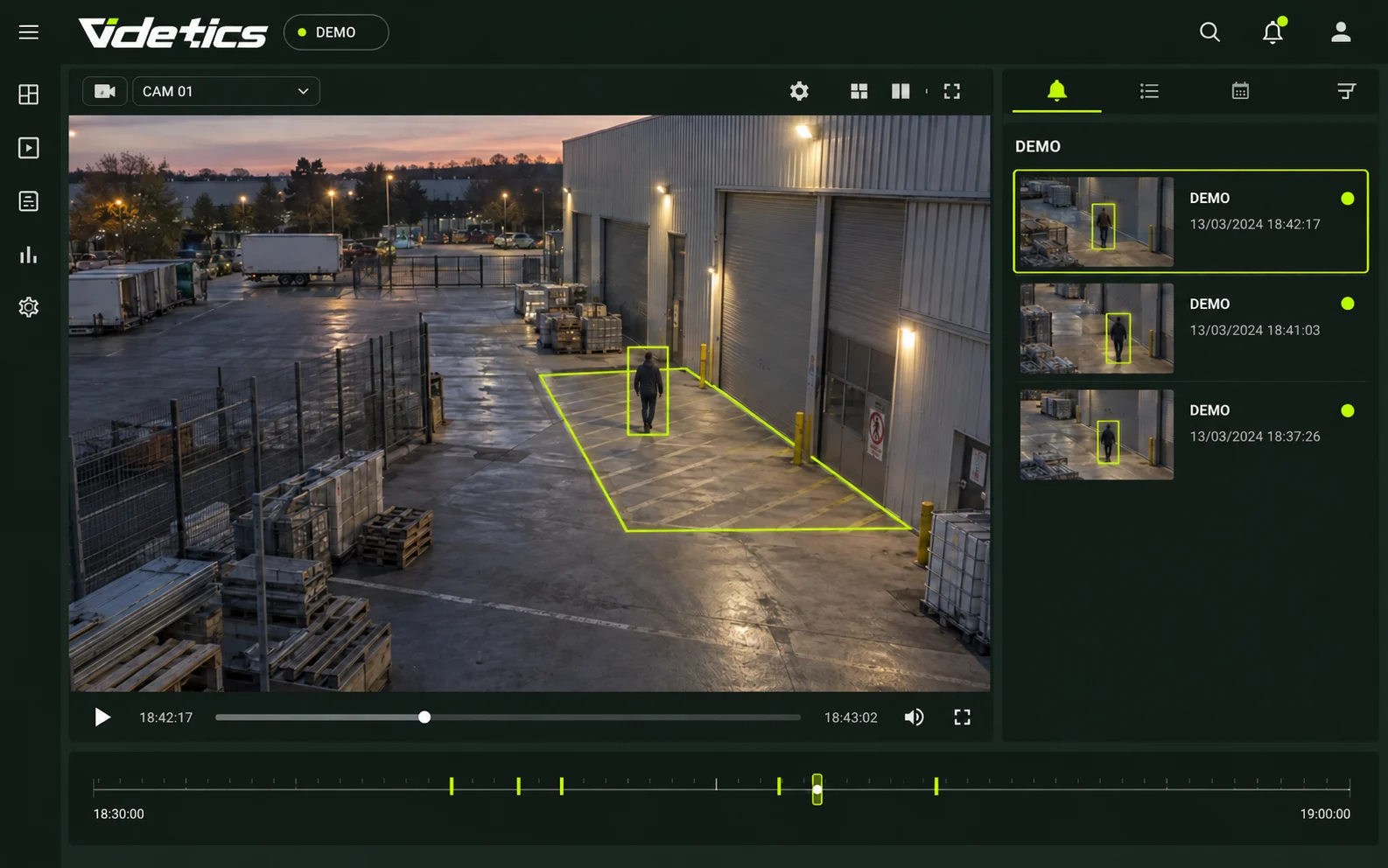
Stockroom intrusion
Flag presence in restricted areas or after closing, according to configured schedules.
Falls and calls for help
Detect a person on the ground or a defined alert gesture. Human verification remains essential.
Crowding and occupancy
Receive an alert when a configured threshold is exceeded in a sensitive area.
Post-incident search
Find footage using visual and time-based criteria. No facial recognition or automatic detection of shoplifting gestures.
Shopping centres
A shared view across the centre.
Bring together entrance, floor and shared-space metrics with clearly defined scope and responsibilities.
Entrances and floors
Compare doors, levels and periods to understand how footfall is distributed.
Mall corridors and events
Analyse flows before, during and after an event without assuming the event caused every change.
Parking and services
Use footfall trends to inform access, customer service and security planning.
Stores and shared areas
Define shared metrics and access rights. Add Technis sensors where the project requires them.
Cameras or sensors: the right setup for your store.
Choose according to your objectives, floor area and existing equipment. Both approaches can work together.
Boutiques
For one or two entrances and footfall measurement, explore Technis Retail Intelligence.
Large stores
Use suitable views from your camera network to analyse multiple areas and support security.
Hybrid setup
Combine entrance sensors and indoor video analytics when coverage and use cases justify it.
Defined purposes. Controlled access.
Footfall statistics and security footage serve different purposes. Define their respective frameworks before deployment.
No facial recognition
Analytics do not rely on biometric identification of visitors.
Data and retention
Define the data processed, recipients and retention periods for each purpose.
Transparency and rights
Involve your data protection officer in visitor and employee information and required assessments.
Adding video analytics requires a project-specific assessment of necessity, proportionality and risks. Statistical outputs do not automatically make the underlying video processing anonymous.
Reference for installations in France:
Connect insights to your tools.
Cameras and VMS
The audit checks IP ONVIF/RTSP feeds and integration with your environment, including Milestone or Genetec.
POS and analytics
Matching receipt totals requires a suitable connector or data exchange. Scope is validated before deployment.
Technis Spaces and BI
Define metrics, API exchanges and dashboards with your teams. Local or hosted architecture depends on the project.
Start with a pilot store.
01 · Scope
Select use cases, review camera views and define acceptance criteria.
02 · Configure
Set zones, calibrate counting and configure access rights.
03 · Validate
Compare results against reference counts under different conditions.
04 · Roll out
Expand gradually with comparable metrics across sites.
A proposal based on your scope
Feed numbers, use cases, integration and hosting determine the project. Timelines are agreed after the audit.
Shared insights for your teams.
Retail management
Compare sites and periods on a consistent basis.
Operations and merchandising
Understand service needs and assess layout changes.
Security, IT and data protection
Define alerts, architecture and access rules.
Your retail questions, answered.
Can existing cameras count visitors?
Yes, where views, resolution and passage conditions are suitable. An audit and reference counts validate each measurement point.
How does this differ from an entrance counter?
A dedicated sensor measures passages at an entrance. Video can support several uses in visible areas: flows, occupancy, queues and security.
How is conversion calculated?
Receipt totals are compared with entries over the same period. Calculation rules and POS connectivity must be defined; this does not identify individual buyers.
Is the setup GDPR compliant?
Compliance depends on your deployment and its purposes. Your data protection officer reviews coverage, data, access, retention and required assessments before launch.
Do I need an on-site server?
Architecture depends on your feeds and requirements. Local or hosted processing options are assessed with your IT team.
Does Videtics detect shoplifting?
This page covers intrusion, situational alerts and post-incident search. It does not offer automatic shoplifting gesture detection or lists of suspicious customers.
When will the first data be available?
After pilot configuration and validation. Timing depends on technical access, available views and required checks.
Is it suitable for small boutiques?
For a boutique with one or two entrances, Technis Retail Intelligence sensors may be a better fit. We help you choose based on your needs.
Explore Videtics solutions.
Your cameras already see your store. Help your teams understand it.
Tell us about your entrances, departments and priorities. Together, we will define a useful starting scope.