
Solution · Counting and flows
Count people and vehicles with your existing cameras
Your cameras see your visitors pass by all day. Videtics Perception counts them, measures occupancy in each zone and shows you where people go and how long they stay. No extra sensors, with figures from day one.
Anonymous data, with no images retained · Compatible with your cameras and VMS · Metrics available in Technis Spaces
Made in France — software designed and developed in France.
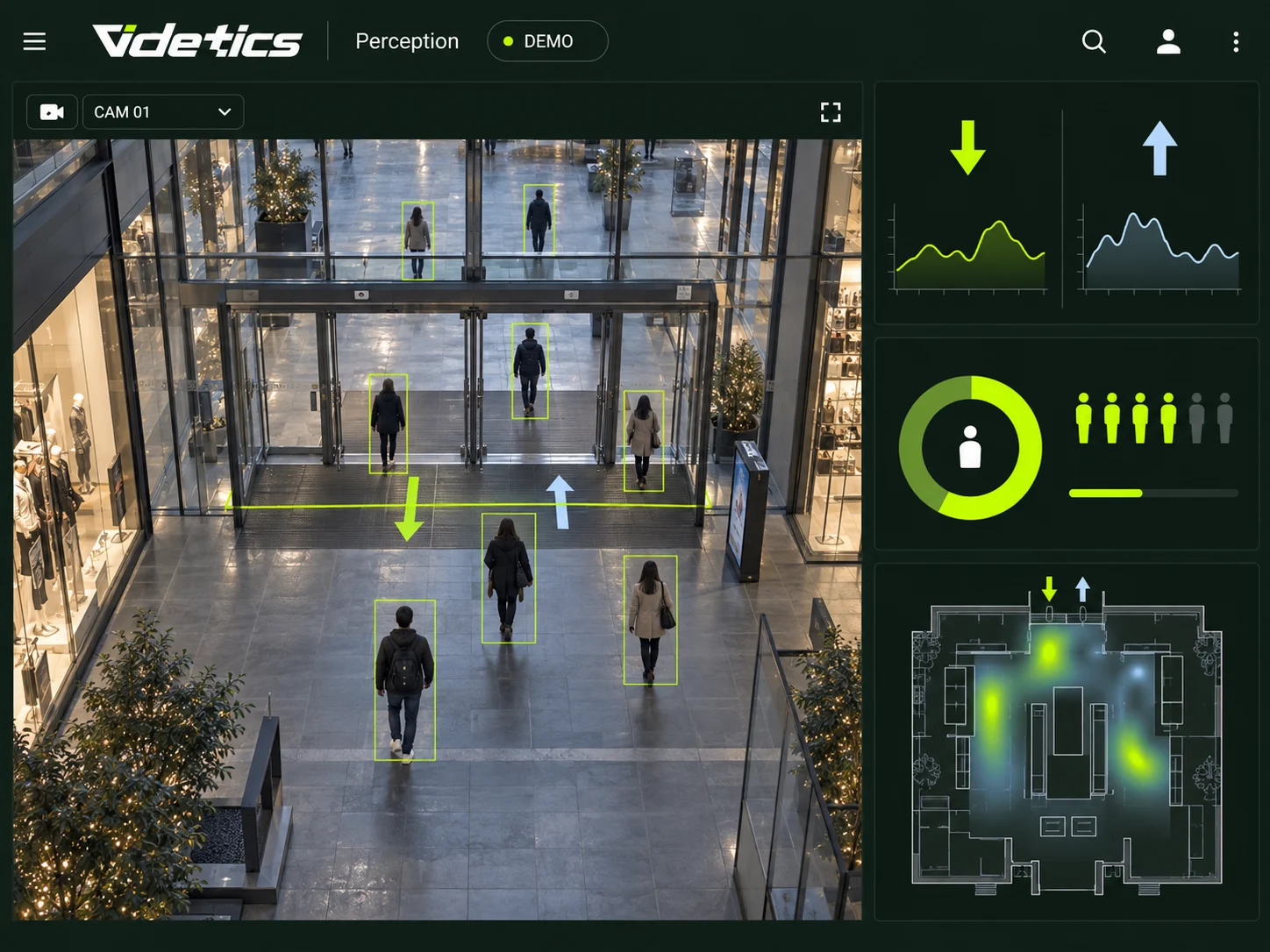
You already have the cameras. Now get the figures.
How many people came in this Saturday? Which aisle gets the most footfall? How long do people wait at reception? Most venues do not know, or estimate the answer with a manual counter and a spreadsheet.
Yet your cameras have been recording all of this for years. Videtics Perception turns that footage into counts, occupancy rates and heatmaps, continuously and without installing any additional cameras or sensors.
What you can measure with your cameras
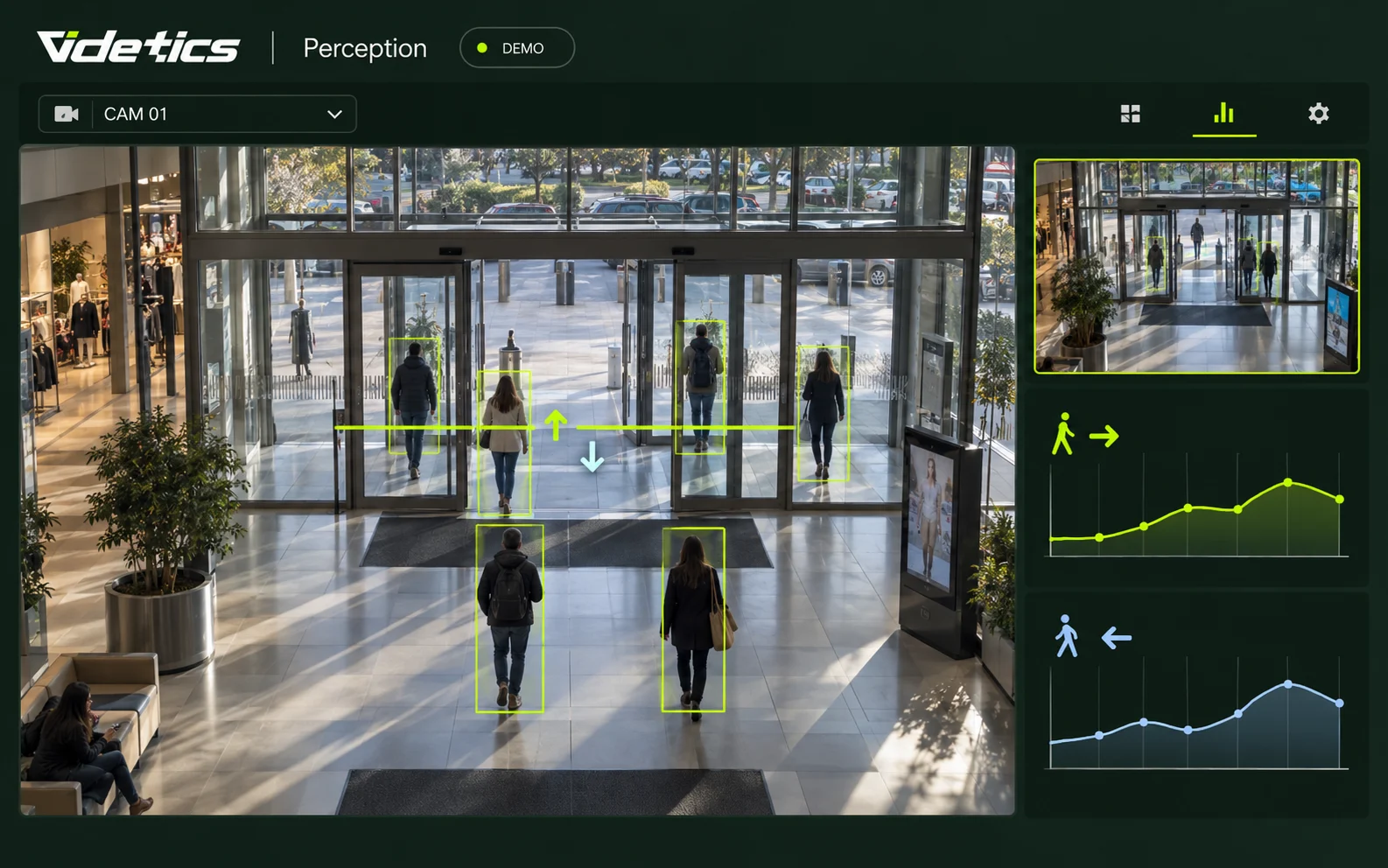
Entry and exit counting
The challenge. You need footfall figures by hour, day and entrance, with week-on-week comparisons.
What Perception does. Draw a line on the camera image; every person crossing it is counted in each direction. One camera can count across several doorways.
What you receive. Footfall trends by camera, site and period, plus the number of people present at any given time.
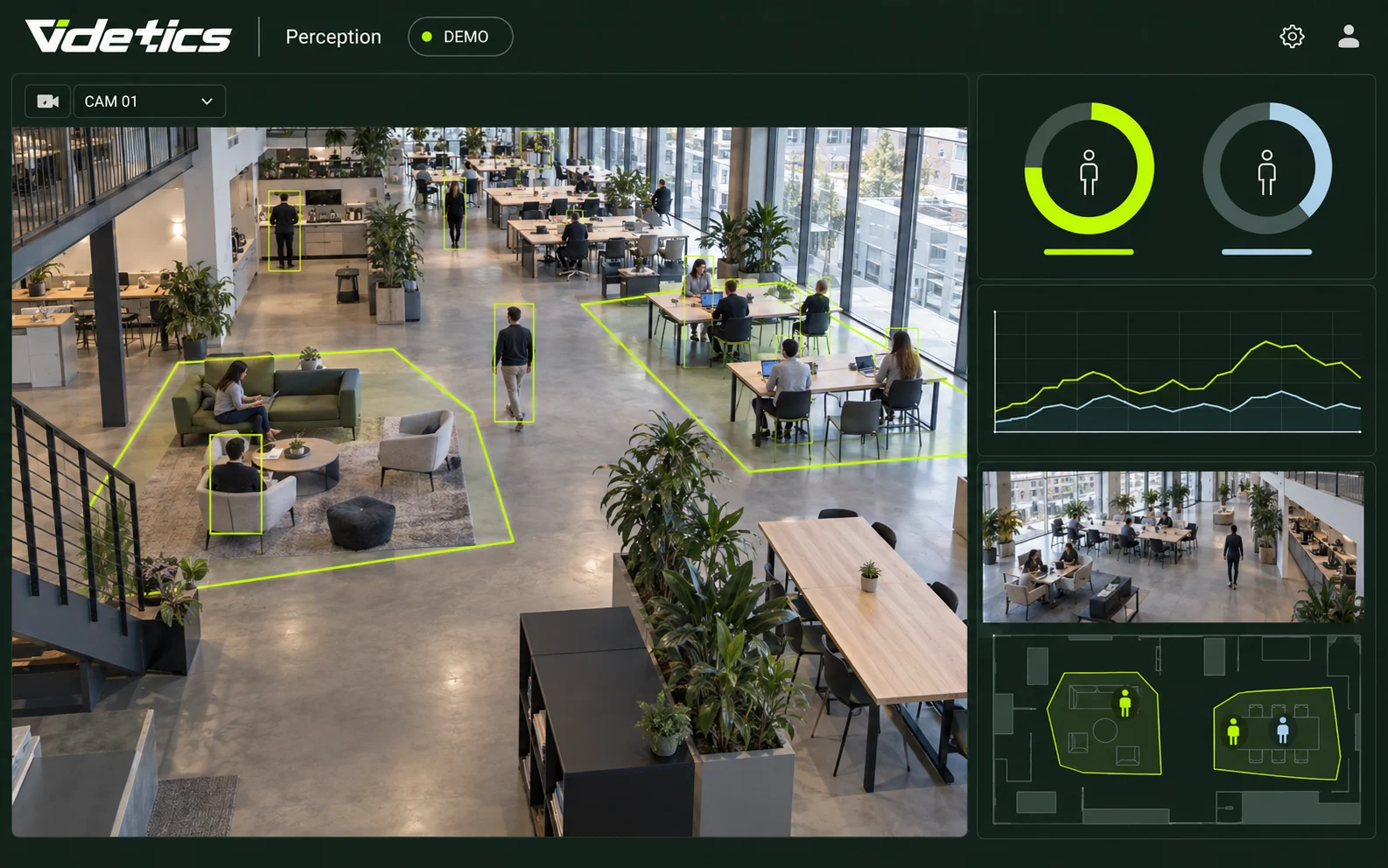
Real-time occupancy
The challenge. In a room, on a platform, in a coworking space or on a terrace, you need to know whether there is space available and stay within capacity limits.
What Perception does. Define a zone; Perception counts the people in it and compares the total with your chosen capacity.
What you receive. Live occupancy, historical data and an alert as you approach the threshold.

Dwell time and waiting time
The challenge. Do visitors stop at the new window display? How long do they wait at a checkout, ticket counter or access checkpoint?
What Perception does. It measures how long people stay in a zone — their dwell time — and how long they take to move through it.
What you receive. Average and maximum times by zone and hour, to plan staffing and measure the impact of a change.
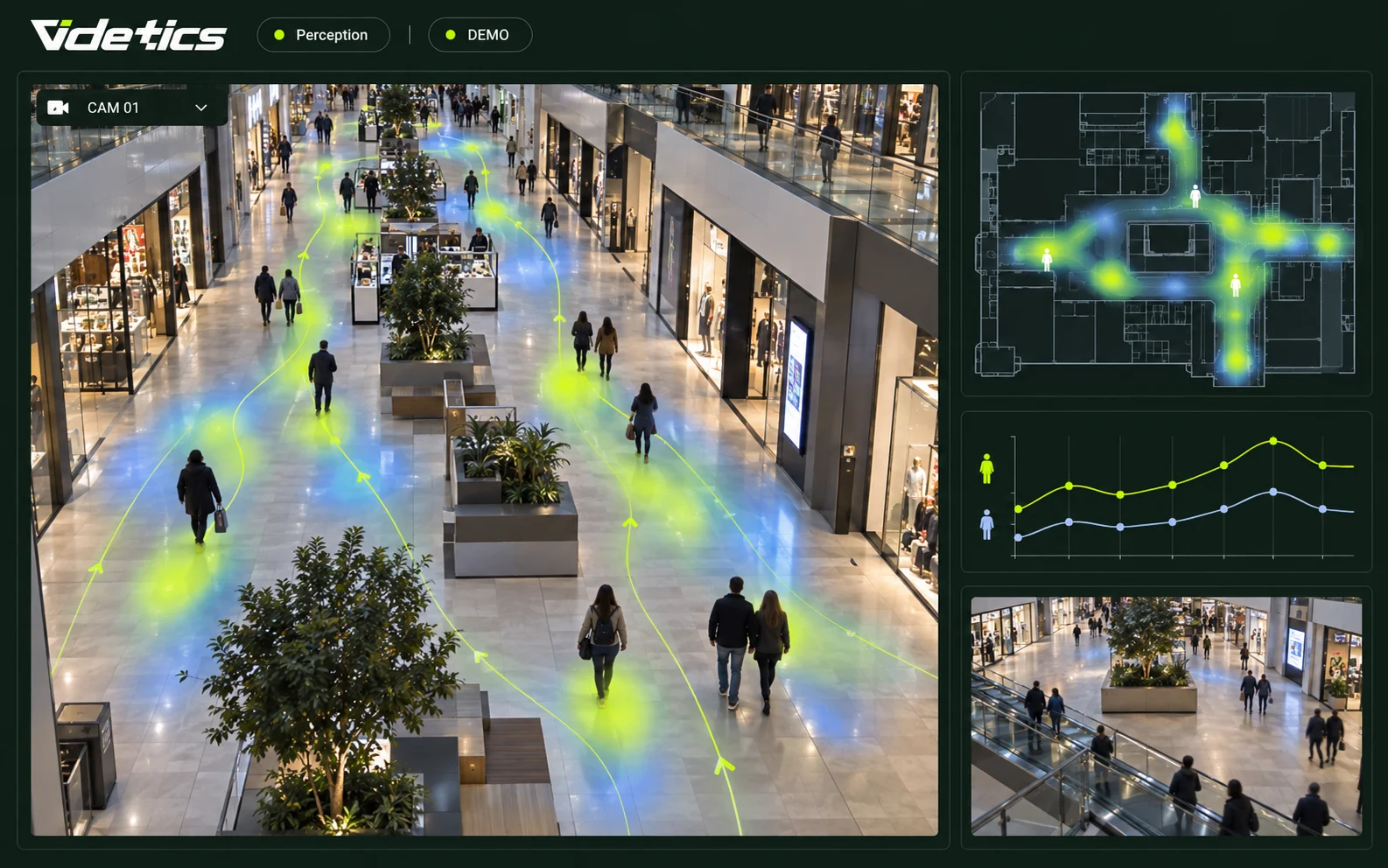
Heatmaps and movement maps
The challenge. You want to see at a glance where people go — and which areas they never visit.
What Perception does. It aggregates the positions of everyone detected and overlays them on the image: the more a zone is used, the warmer it appears.
What you receive. A heatmap showing the busiest areas and a movement map showing the most-used routes, by camera and period.
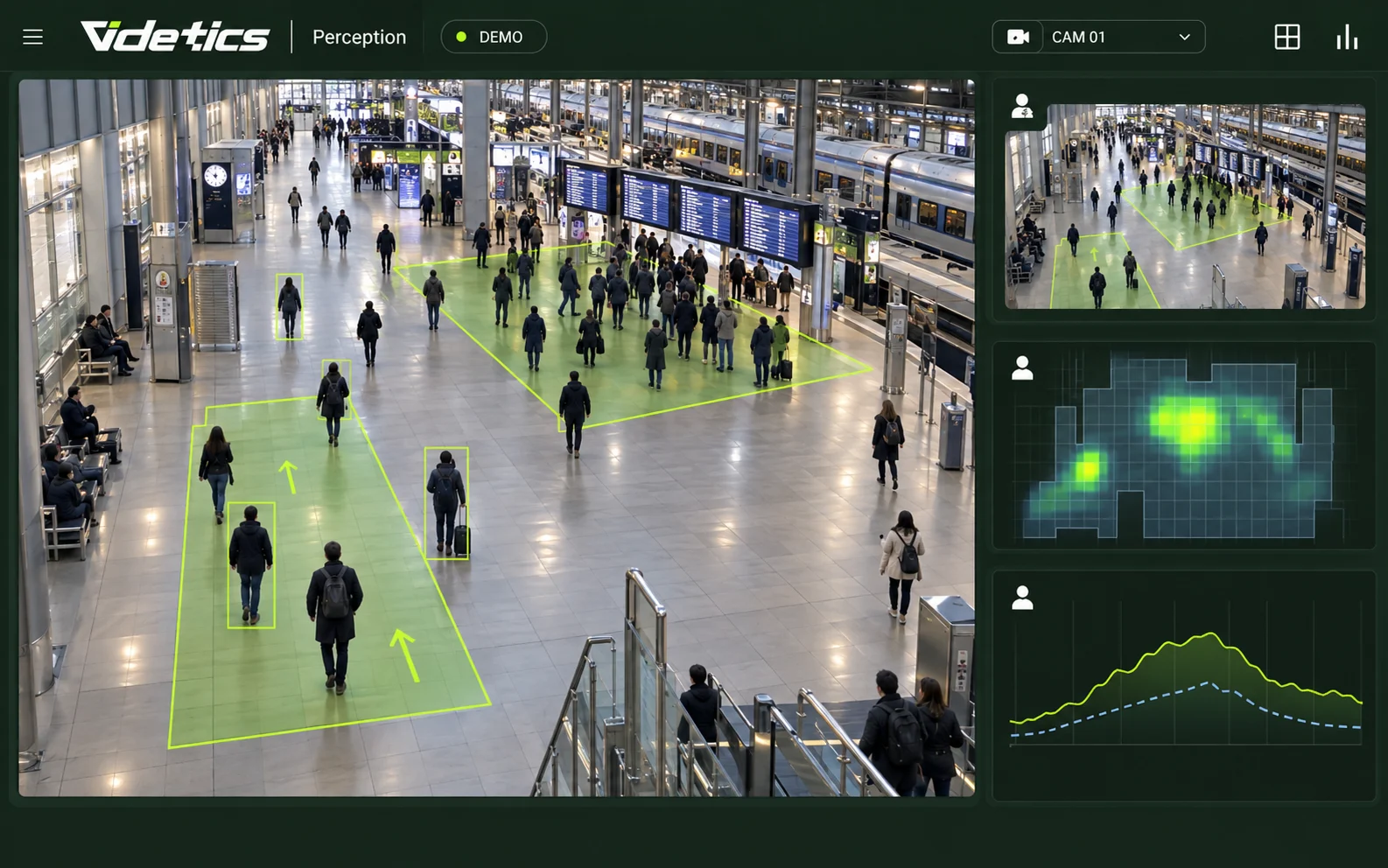
Crowd density and footfall
The challenge. In a crowd, counting people one by one is no longer enough; density is what matters.
What Perception does. It estimates the number of people per square metre within a zone and tracks changes over time.
What you receive. Continuous density monitoring and an alert when it reaches a critical level. To manage an entire event, seeTechnis crowd management.
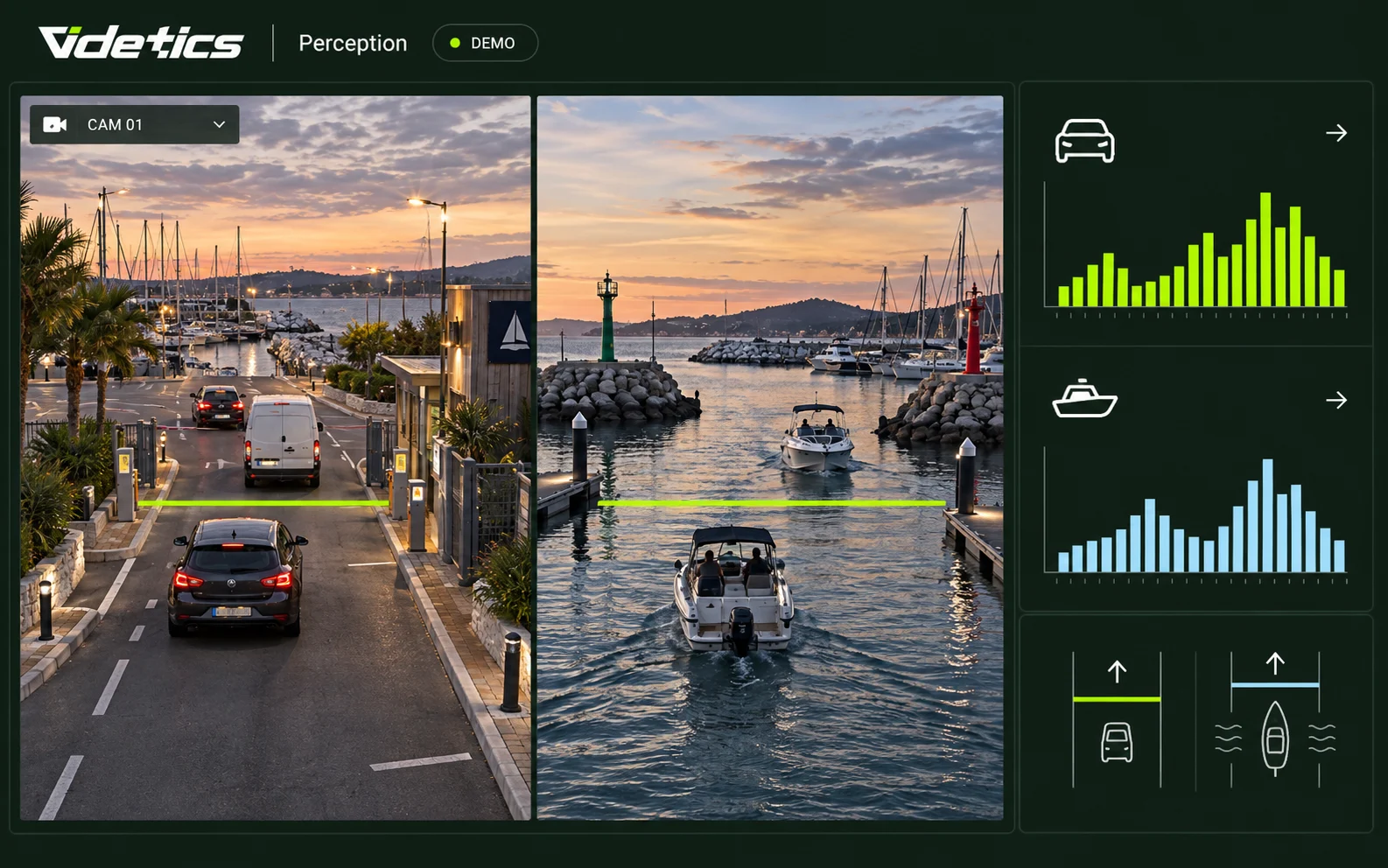
Vehicles and boats
The challenge. In a car park, on an access road or at a quay, you also want to count road and water traffic.
What Perception does. It counts and classifies vehicles — cars, vans, heavy goods vehicles, motorcycles and bicycles — and boats, using the same lines and zones.
What you receive. Counts by category and direction. For speed, wrong-way traffic and junctions, seecamera-based traffic analytics.
Figures you can rely on
A count that is 30% out is no use. Perception tracks each person from frame to frame, avoiding double-counting or missing people walking in groups. It works with your existing cameras, but accuracy depends on the camera angle and height: we check every counting point with you during installation.
As an option, Perception can estimate non-identifying attributes, such as adult or child, to refine your statistics without ever identifying a person.
Where your data goes
Counts only help if the right people can see them in the right place.
The Perception dashboard: trends, period comparisons, heatmaps, filters by site and camera, and one-click export.
Automated reports: weekly or monthly, emailed to the people you choose.
Your VMS: counters appear directly in Milestone, Genetec or your security management platform.
Technis Spaces: your counting, occupancy and dwell-time metrics feed into the Technis group's platform alongside your other sensors.
Your tools: an API sends data to your business intelligence or scheduling software.
With Technis, your camera becomes one sensor among many
Some spaces have cameras; others do not. Some measurements call for a dedicated sensor: a 3D counter above a narrow doorway, an occupancy sensor under a desk or a queue counter.
That is the strength of the group: Videtics counts where you already have cameras, Technis measures the rest with more than 25 sensor types, and everything comes together in one dashboard, site by site. Start with video, without investing in new sensors; add dedicated sensors where the space calls for them.
How it works in practice
Connect your cameras. A Videtics server on your premises or in a European private cloud receives streams from your VMS or directly via ONVIF or RTSP. Up to 300 streams per server.
Lines and zones. Draw counting lines and occupancy zones on the image.
Verification. We validate each counting point with you over a real operating day.
Go live. Use the initial figures and reports to monitor the pilot site.
Who it is for
Retail and shopping centres
Footfall by store, busy areas and checkout waiting times: manage your physical stores with the same insight as a website, using the cameras you already have.
Events and stadiums
Entry counts, live occupancy and aisle density: figures to support safety and post-event reporting.
Transport and stations
Platform flows, ticket-counter queues and hourly footfall, to plan staffing and keep passengers informed.
Property and offices
Actual space occupancy, connected to Technis occupancy and energy sensors.
Cities
Footfall in squares, markets and pedestrian streets, before and after changes to the layout.
What changes
Base decisions on figures, not impressions: opening hours, staffing, layout and communications.
Measure the impact of each change: a new window display, a one-way route or a promotion.
Stay within capacity limits without counting by hand.
Compare your sites using the same metrics, in Perception or Technis Spaces.
Everything is included in the Mobility package.View packages
Numbers, not faces
Counting does not require identification. Perception detects silhouettes and produces numbers; it does not retain images for counting and never identifies a person. Counting data is anonymous by design, simplifying GDPR compliance. We provide the documentation your data protection officer needs.
Frequently asked questions
How does this differ from a 3D counter or dedicated sensor?
A dedicated sensor is installed specifically for counting, often above a doorway, and provides very high accuracy at that point. An existing camera counts without building work, covers a wider area and also provides heatmaps and dwell times. With Technis, you can combine both in the same dashboard.
How accurate is the counting?
It depends on the camera angle and height, and on crowd density. We validate every counting point with you over a real operating day before going live.
Can one camera count several entrances?
Yes. You can draw several lines and zones on the same image, each with its own counter and direction.
Does the data feed into Technis Spaces?
Yes, for counting, occupancy and dwell time: these metrics feed into Technis Spaces alongside your other sensors.
Can we keep historical data?
Yes. Counts can be kept for as long as you wish, without images, to compare one week, month or year with another.
Explore the solutions and the product
Your cameras are ready to count. All you need is the dashboard.
Choose an entrance and a camera: we will show you your first figures using your own footage.