
Sector · Cities and urban control centres
AI video analytics for cities and urban control centres
Your city has invested in cameras. Videtics Perception helps teams spot relevant events, find the footage they need and understand how public spaces are used. Keep compatible cameras, without facial recognition, and define the scope of each use case.
Milestone and Genetec · On-premises processing · Human review of alerts
Made in France — software designed and developed in France.
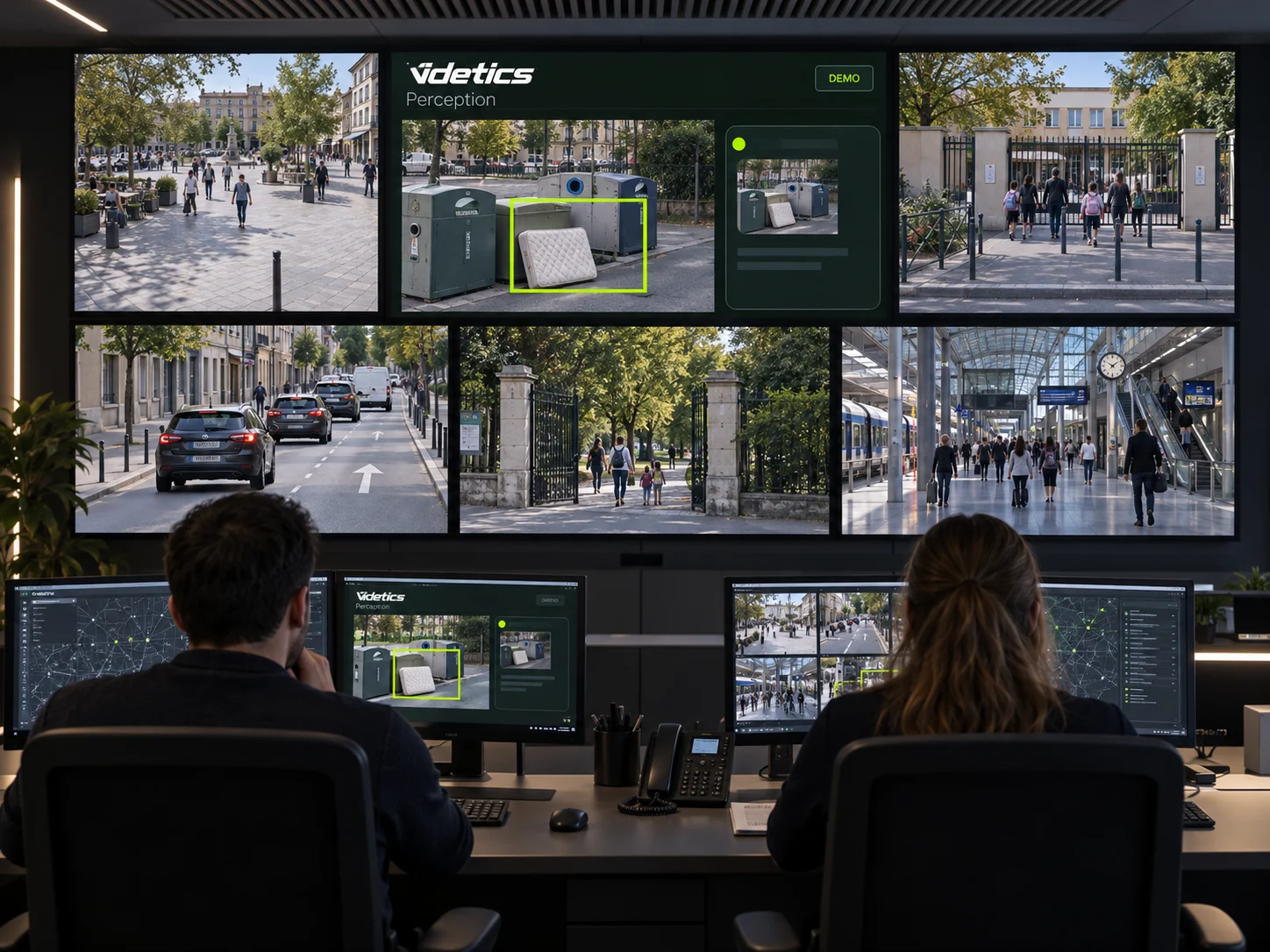
More cameras. The same team.
Operators monitor multiple sites, review alerts and respond to requests for footage. The number of screens grows, but the time available does not. Reviewing recordings camera by camera takes teams away from other duties.
Elected officials need practical results, municipal teams need actionable information, and privacy and IT officers need to understand the processing and architecture. Perception connects these needs through defined, measurable and verifiable use cases.
Focus on what matters
Alerts configured by zone and schedule, with operators reviewing each event.
Find relevant footage
Search visible attributes to select passages for review in recordings.
Document each use case
Purpose, access, retention and architecture are defined with the local authority.
01 · Safety
Protect people and places
Each scenario is enabled camera by camera after checking availability and the applicable framework. Perception flags a situation; the operator reviews the footage and decides what happens next.
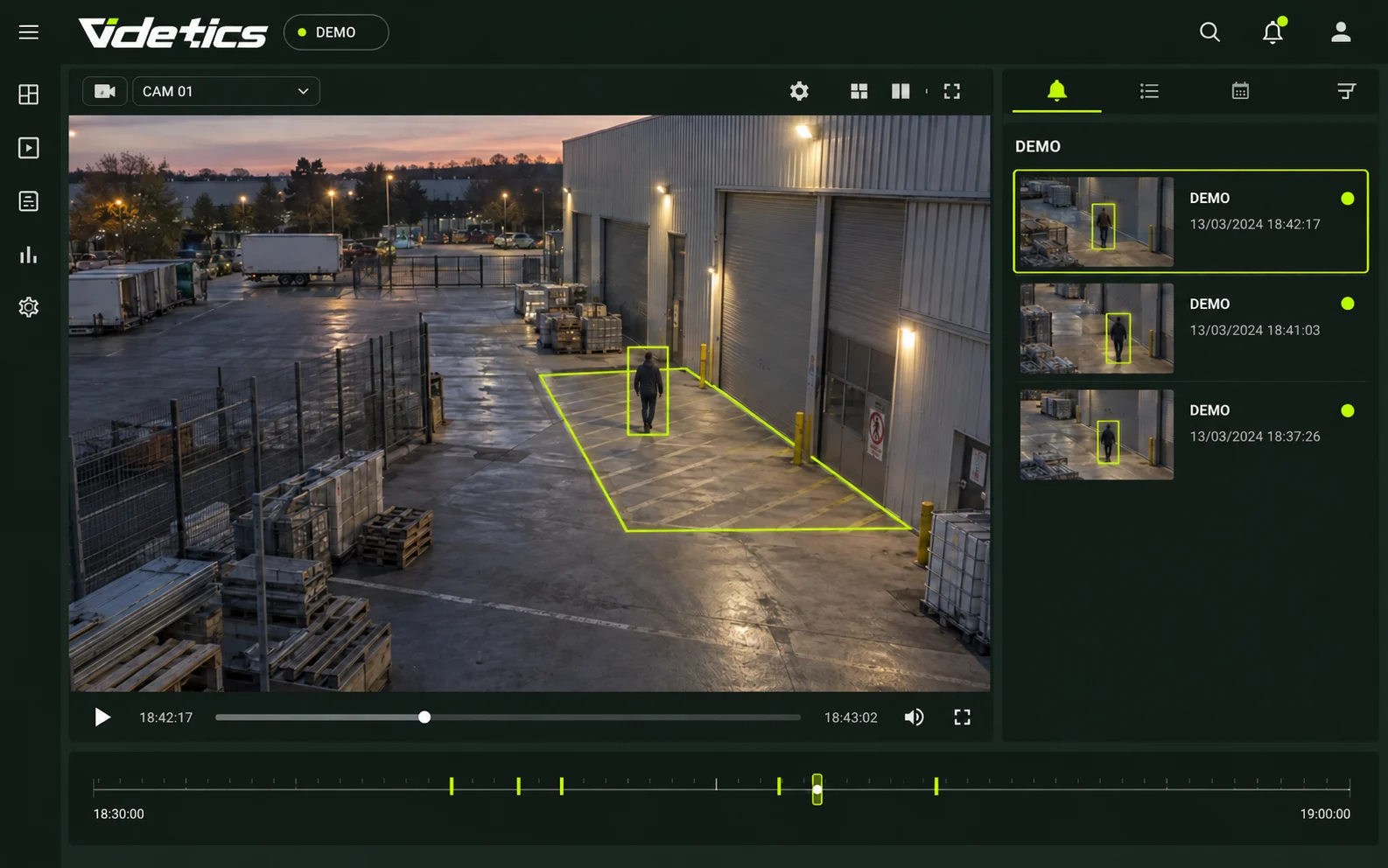
Intrusion at municipal sites
Define monitoring zones and schedules for schools, sports centres, maintenance depots, worksites and pumping stations. A detected presence generates an alert with an image, location and time. Thermal cameras can support poorly lit sites.
Crowd density and zone occupancy
Measure the number of people visible within a zone against a defined threshold. An overflowing queue or busy square can then be reviewed within the authorised scope.
Falls and people on the ground
Posture analysis helps flag a fall or a person lying in a square or passageway. Operators review the image and can request emergency assistance when needed.
Silent alerts at reception desks
At a municipal reception desk, a raised-hands posture can trigger a discreet alert. Operators check the image: the posture alone does not establish that an assault is taking place.
Hotspots on thermal cameras
Compatible equipment can flag an unusual hotspot at a technical facility, waste site or car park. Video analytics complements safety procedures and dedicated systems.
Restricted areas and wrong-way movement
Define permitted directions, expected categories and schedules. Unexpected movement through a lane or restricted area is presented for operator review.
02 · Everyday operations
Understand recurring issues
Waste collection points, access routes and closed sites call for targeted action. Alerts and event histories help teams prepare interventions without treating a detection as proof of an offence.
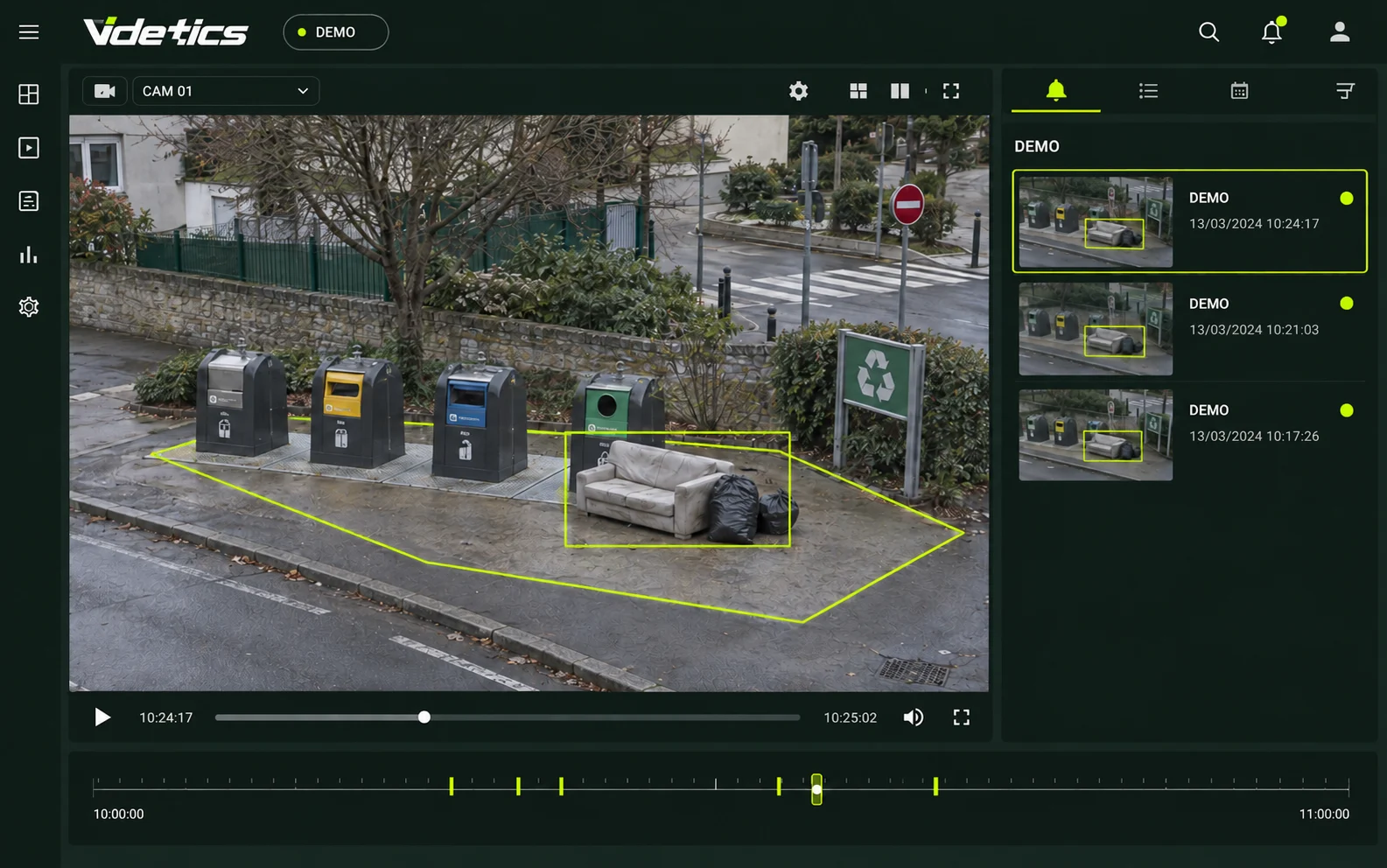
Fly-tipping and bulky waste
Monitor recurring problem areas around bins and flag deposited objects. Images and timestamps help teams verify events, organise removal and document the situation under local procedures.
Obstructive parking and prolonged stops
Define an access route or exit that must remain clear, then set a stationary-time threshold. Review obstructions and recurring patterns by location and time.
Parks after closing time
Match presence detection to opening hours. Event histories can inform decisions about staffing, site design and lighting.
Pedestrian streets and reserved lanes
Vehicle category, zone and schedule help identify passages for review. Aggregated data can inform the placement of a bollard or patrol.
Speed on sensitive routes
After calibration, speed estimates help compare conditions before and after street improvements, including near schools. This is a planning indicator, not an enforcement instrument.
03 · Investigation
Find footage relevant to an authorised request
Start with a report, a time window and an area. Results are possible matches that authorised staff must check against the footage.
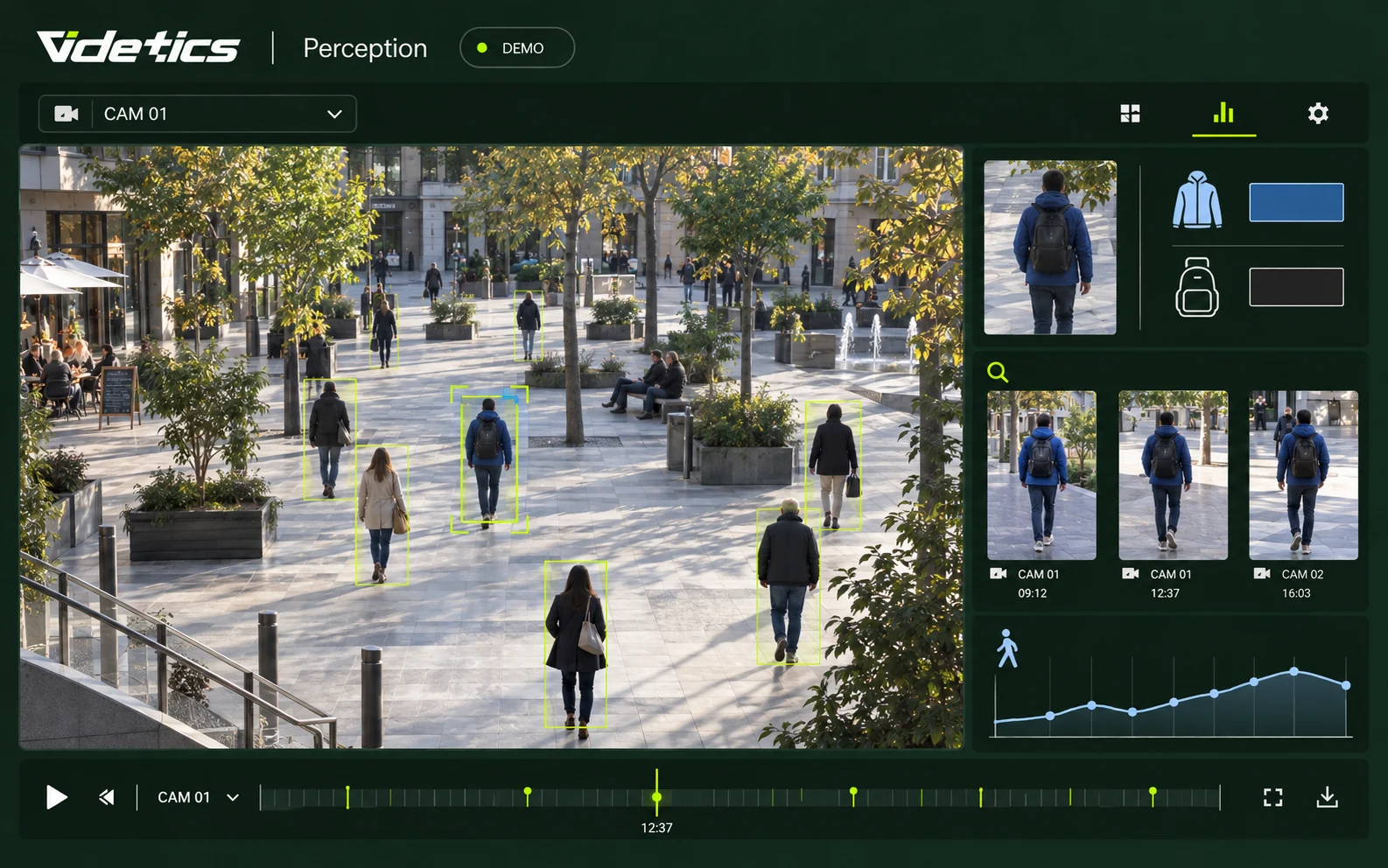
Search clothing and accessories
Select clothing colour, a bag, a period and relevant cameras. Thumbnails link to matching sequences without facial searches or automatic identity conclusions.
Find a vehicle without its number plate
Filter by category, colour and time to locate passages for review. Operators compare results and assess relevance under the applicable procedure.
Case files and exports
Group searches and clips with camera references and timestamps. Export, access and audit requirements are defined with your organisation.
Work within your VMS
Milestone XProtect and Genetec Security Center integrations fit investigation into the operator environment. Other systems are assessed against available connectors.
04 · City insights
Data to understand your city
Counting and flow analysis help explain how a place is used. A passage count is not a unique visitor count; metrics depend on camera coverage and configuration.
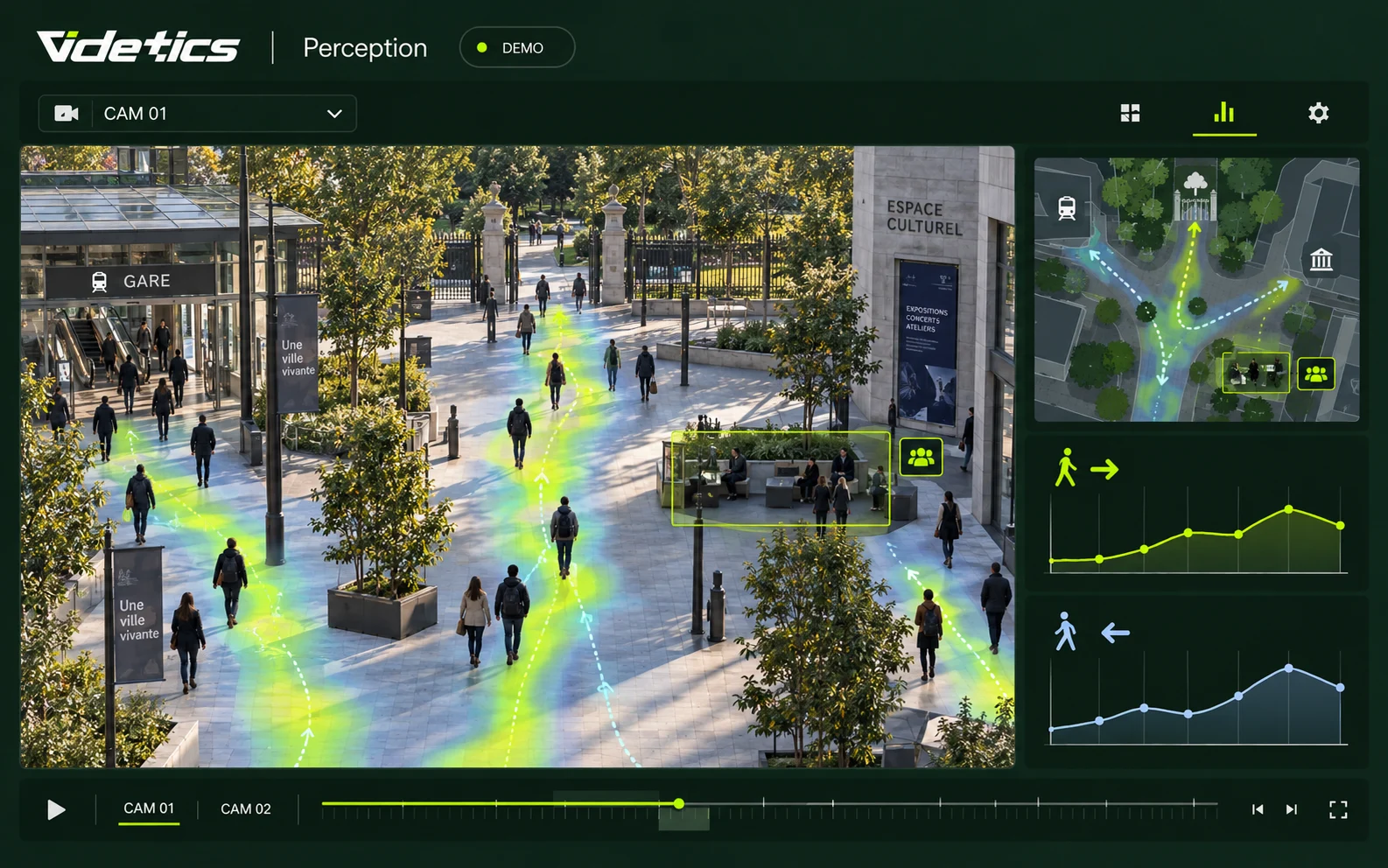
Squares, markets and pedestrian streets
Compare footfall by entrance and time, zone occupancy and heatmaps before and after improvements.
Events and public facilities
Measure passages at access points and occupancy in covered zones. Technis sensors can be considered for entrances without cameras; overall occupancy requires coverage of both entrances and exits.
Cyclists, pedestrians and vehicles
Analyse passages by transport mode, lane and direction to inform traffic plans, cycle routes and safe routes to school.
Car parks and access points
Track entries, exits and busy periods to improve visitor information and capacity planning.
Your metrics in Technis Spaces
Combine available indicators with data from group sensors. Metrics and connectors are agreed during project scoping.
Define the framework before enabling a scenario
Technical capability does not provide permission to deploy. Purposes, locations, recipients and operating procedures must be assessed with your privacy officer, legal advisers and relevant authorities under local law.
Aggregated statistics
Anonymous statistical outputs must be distinguished from systems intended to trigger interventions. Image processing, public information and data protection safeguards still require assessment.
Real-time alerts
Operational video analytics in public spaces requires an appropriate legal basis. Check current legislation, permissions and site-specific conditions before activation.
Searches in recordings
Permission to record does not automatically permit every algorithmic search. Validate the legal basis, purpose, access permissions, retention and audit requirements for the proposed use.
General information, not legal approval of a specific project. The French references below illustrate the approach; requirements must be assessed in the country of deployment.
Fit into your control centre
Cameras
Compatible ONVIF or RTSP IP streams, fixed and thermal cameras: the audit checks angles, lighting and analysis conditions. PTZ cameras are assessed at their reference positions.
VMS and video wall
Milestone and Genetec, with other connectors subject to assessment. Alert review and acknowledgement workflows are defined with operators.
Server and network
On-premises architecture or private European hosting according to the project. IT teams validate sizing, stream routing, storage and access.
Patrols and other tools
Notification channels and API exchanges with operational systems are selected according to available integrations and access policies.
Deploy in stages, with your teams
01 · Camera audit
Check cameras and select suitable views for each need.
02 · Use-case scoping
Define purposes, legal requirements, access, retention and documentation.
03 · Focused pilot
Connect a limited scope, enable approved scenarios and measure results under real site conditions.
04 · Training
Train operators to review alerts, search and export under their procedures.
05 · Refinement and rollout
Adjust settings using field feedback, then extend coverage progressively.
Prepare your procurement process
The technical brief sets out architecture, selected functions, interfaces and data protection requirements. Schedule, licensing and support depend on your camera estate and purchasing procedure. Funding programmes and purchasing frameworks must be confirmed individually.
Support every team
Elected officials
Indicators to assess how spaces are used and inform planning decisions.
Municipal safety teams
Contextual alerts to prepare checks and interventions.
Control centre operators
Targeted searches and scenarios configured by camera.
Privacy officers
A description of purposes, data, access and retention periods.
IT teams
Architecture and interfaces defined before deployment.
Maintenance teams
Documented events to organise removal and site interventions.
Questions from cities and control centres
Can a city use AI video analytics?
It depends on the purpose and applicable law. Statistics, operational alerts and searches in recordings are distinct uses. Each must be assessed with privacy officers and the relevant authorities before activation. Permission to operate cameras is not blanket permission for algorithmic analysis.
Does it use facial recognition?
No. Perception uses situations, silhouettes and visible attributes such as clothing or vehicle category. Searches do not use facial templates or identify people against an identity database.
Do we need new cameras or a new VMS?
Not necessarily. The project uses compatible streams and available integrations. An audit checks each view and interface. Adjusting a camera may be sufficient, but compatibility and performance must be verified on site.
How do you reduce false alerts?
Zones, schedules and sensitivity are configured per camera. A pilot tests alerts in real conditions so settings can be refined with operators. Human review remains essential before action.
Do you read number plates?
Category and colour searches do not require plate recognition. Any automatic plate-reading function requires a separate legal and commercial assessment and is not assumed to be included.
How long does deployment take?
Timing depends on cameras, networks, integrations and approval stages. We agree a limited pilot, training and a gradual rollout after an audit, rather than guaranteeing a schedule without knowing your environment.
Is it suitable for a small town?
A limited scope can address a specific need, such as a municipal site or waste collection point. Alert handling and authorised staff are defined even without a permanently staffed control centre.
How should we prepare procurement?
Specify objectives, streams, functions, integration and support requirements. Videtics can prepare technical information with your team and integrators. Contract terms and potential funding are assessed within your procurement process.
Explore your project further
Your cameras see the city. Help your teams understand it.
Bring your camera plan and your three priorities. We will assess suitable scenarios, indicators and deployment requirements for your local authority.