
Sector · Ports, marinas and maritime
Detect vessels. Understand your port.
From harbour waters and pontoons to terminals and coastal areas, Videtics Perception analyses your video feeds to detect and classify vessels, measure movements and flag situations for review.
Visible-light and thermal cameras · Directional counting · Speed estimation after calibration
AI designed and developed in France. Part of the Technis group.
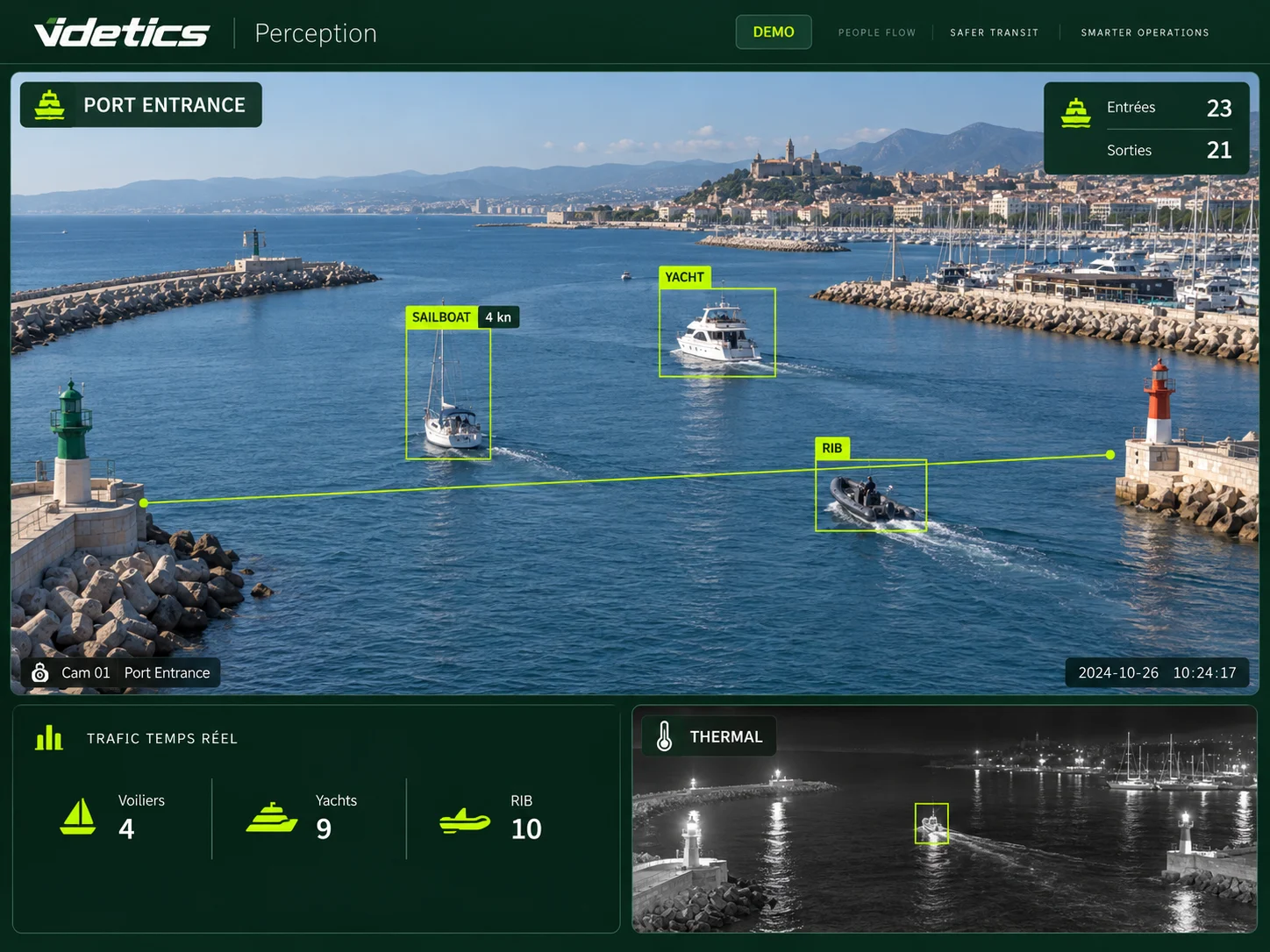
Harbour waters need a different approach.
Waves, reflections, backlighting and small distant craft make maritime scenes challenging. Harbour teams need to understand what passes, in which direction, at what speed and in which area.
Videtics Perception combines vessel detection, zone rules and traffic metrics. Performance is assessed using your actual views, accounting for distance, optics, weather and lighting.
Understand harbour activity
Track arrivals, departures and vessel categories over time.
Support prevention
Flag speed-threshold exceedances and presence in defined areas.
Protect quays and pontoons
Provide teams with alerts and associated images for verification.
Marinas and leisure harbours
A clearer view for harbour teams.
Measure entrance traffic, occupancy of visible berths and situations requiring attention on pontoons.
Vessel counting and classification
A virtual line counts craft in both directions. Compare movements by category, hour, day and season to inform harbour management.
Channel speed
After calibration against known distances, estimate speed and flag exceedances of a chosen threshold. This supports prevention; it is not a certified enforcement measurement.
Restricted areas and anchoring
Define the areas and vessel categories concerned. Detection creates an alert to review; it does not establish an offence on its own.
Berth occupancy
Detect a vessel at each defined, visible berth. Occlusions and mooring movements are assessed during the pilot.
Pontoon security
Configure intrusion alerts by area and time, using visible-light or thermal cameras as available. Operators receive an image to verify the situation.
Quays, parking and events
Count pedestrian passages, measure parking occupancy and compare event periods with reference periods.
Commercial ports and terminals
Protect facilities. Understand traffic.
Connect the view of harbour waters with land access points and cargo-handling areas.
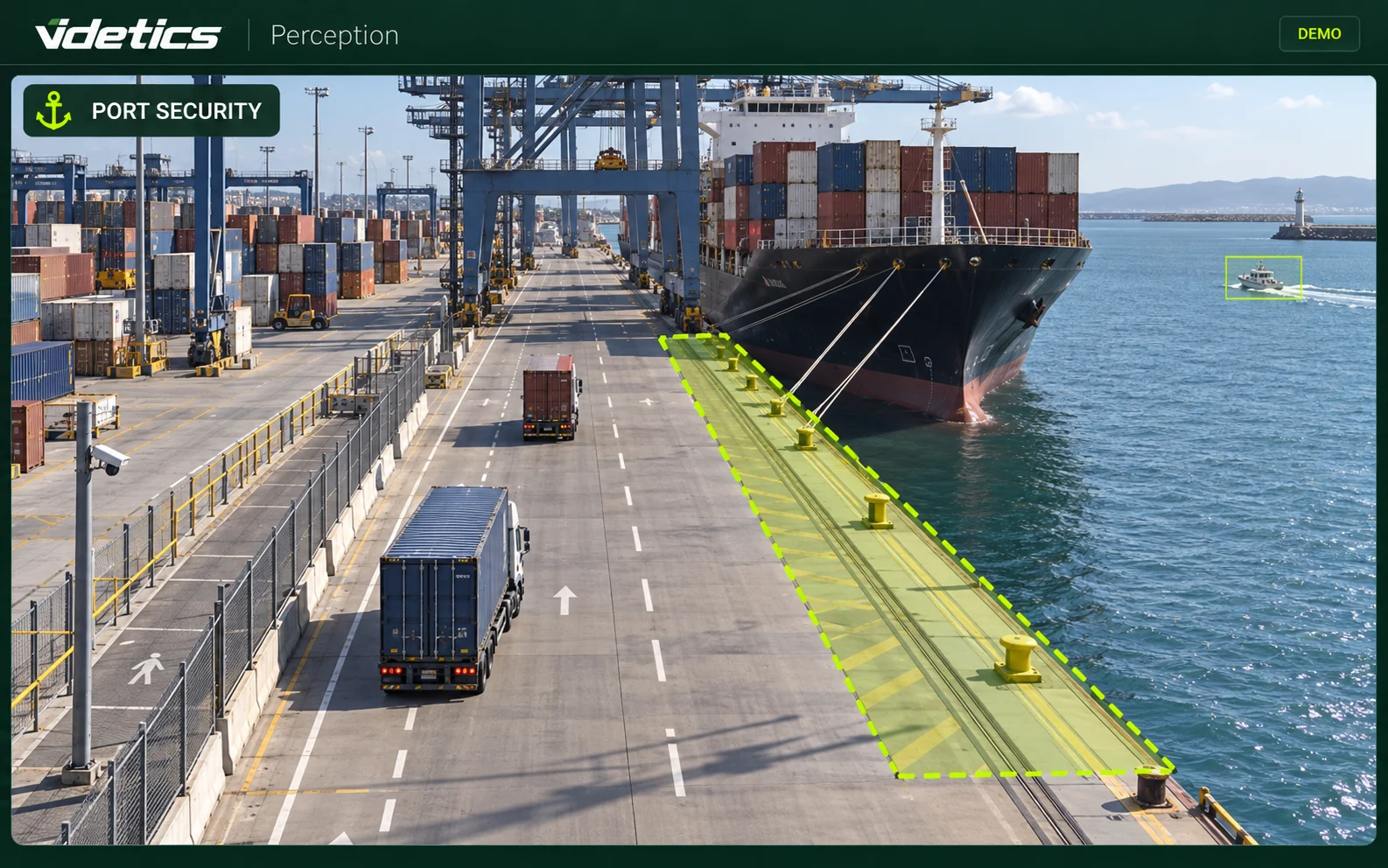
Harbour basins and sensitive approaches
Detect a craft entering a defined area around a quay or vessel. Operators receive the image and context.
Perimeters and restricted access
Detect people or vehicles in configured zones. Perception can support the facility security plan; no ISPS certification of the software is claimed.
Trucks and terminal yards
Count vehicles at gates, observe queues and dwell time, and flag stops in prohibited areas.
People safety
Detect a person on the ground or a pedestrian in a defined manoeuvring area. Alerts complement existing safety procedures and equipment.
Thermal anomalies
With suitable thermal equipment, monitor thresholds and anomalies in selected areas. This does not replace required fire detection or guarantee early fire prediction.
Ferry and cruise terminals
Prepare for boarding peaks.
Arrivals and departures concentrate demand into short periods. Give teams a clear view of access points, halls and queues.
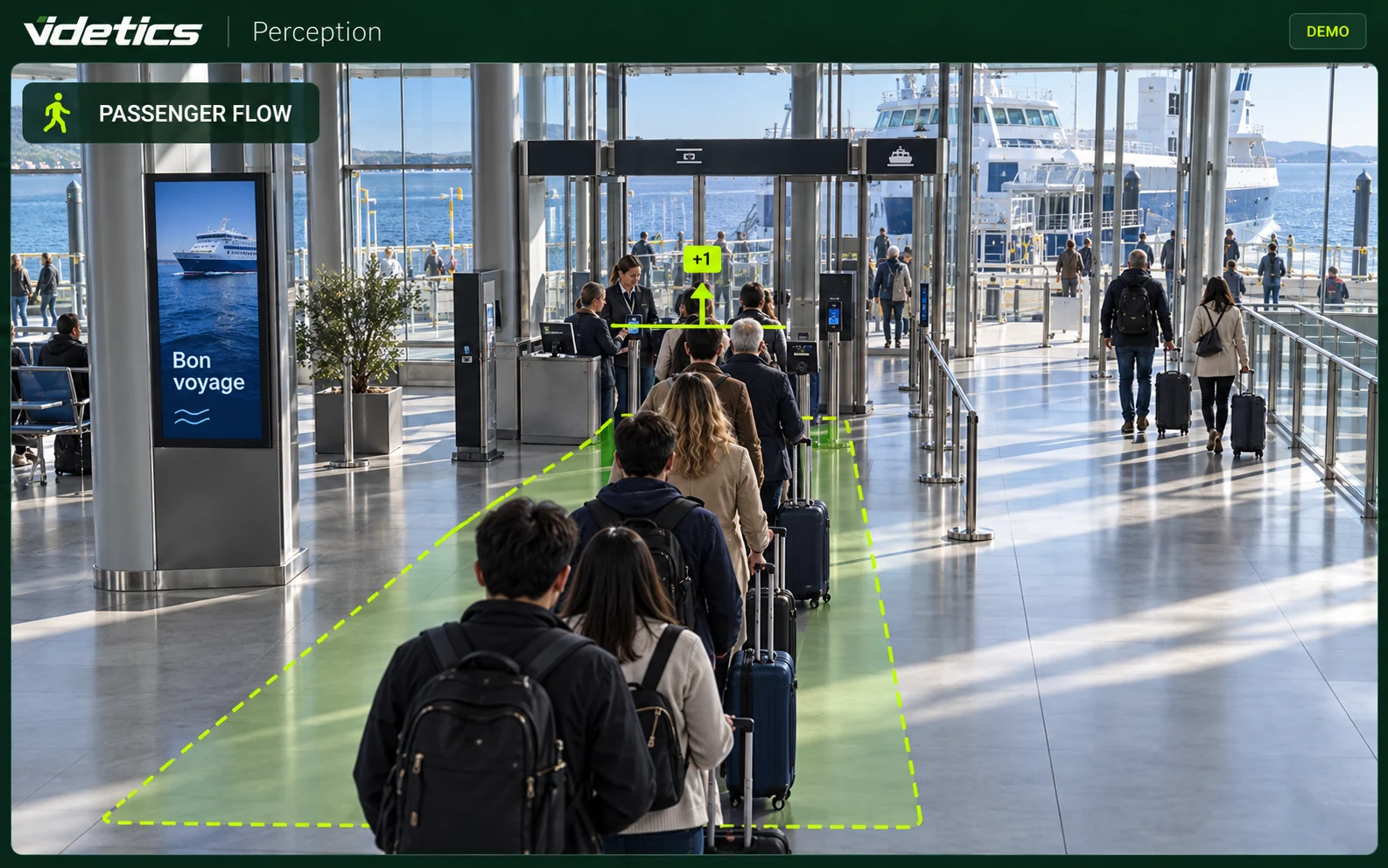
Passenger counting
Measure passages at access points and traffic by departure without identifying travellers.
Waiting and occupancy
Estimate waiting times at checkpoints and monitor covered waiting areas to inform service planning.
Vehicle staging
Count vehicles by category and observe queue occupancy in visible staging areas.
Terminal security
Configure crowding, intrusion and person-on-ground alerts for validated scenarios. Teams verify the situation before intervening.
Coastlines and protected areas
Measure activity. Guide monitoring.
Support management decisions with comparable observations of covered areas.
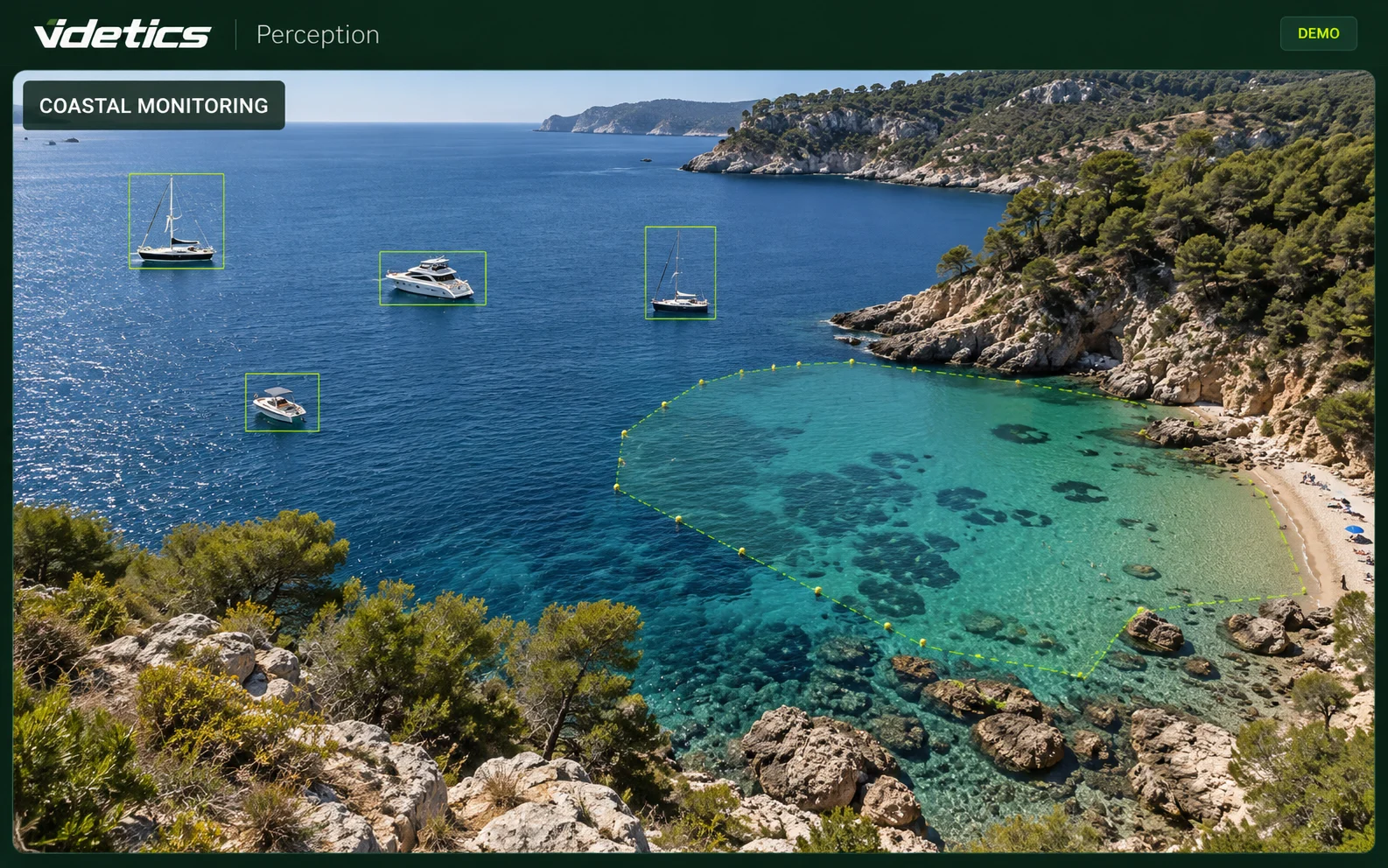
Boating activity
Count and classify visible craft in a cove or anchorage at defined intervals.
Regulated areas
Flag presence within a perimeter based on applicable local rules. Officers assess the situation and decide what action is appropriate.
Coastal spaces
Measure passages and concentrations in authorised, equipped areas. These metrics are not a drowning detection or maritime rescue system.
Analytics tailored to maritime scenes.
Classification detail and available categories are agreed according to the deployed model and image quality. Distance alone cannot establish detection range.
Small craft
Use cases focused on RIBs, small motorboats and other small craft, subject to classes validated for your project.
Leisure and service vessels
Distinguish categories relevant to your operations, such as sailboats, yachts or shuttles, under pilot-tested conditions.
Large vessels
Tailor analytics to ferries and commercial ships using suitable coverage and optics.
Visible-light and thermal
Thermal cameras support use without visible lighting. Weather, occlusions and thermal contrast remain important.
Detect and count without identifying people.
Classifying a vessel does not identify it. Security and statistical uses require separate assessment with port management and data protection teams.
No facial recognition
Perception analyses categories, passages and situations without biometric identification of people.
Data and recipients
Define hosting, image flows, access rights and retention for each purpose. Local processing can be assessed.
Deployment framework
Assess obligations specific to public areas, port facilities and intended processing before deployment.
Video analytics supports operators. It is neither ISPS certification nor automatic proof of an offence, and does not replace safety or rescue systems.
References: CNIL for public spaces in France, IMO for the ISPS Code.
Within your harbour operations and tools.
Existing cameras
Check IP ONVIF/RTSP feeds, angles and view stability. Thermal cameras or different optics may be needed for some areas.
Security control room VMS
Assess alert and image integration with your environment, including Milestone or Genetec, depending on versions and connectors.
Server and dashboards
Size processing for the feeds and use cases. Define metrics to share through APIs or Technis Spaces and any port-management software exchanges.
A pilot using your footage before rollout.
01 · Review
Inspect entrances, basins, pontoons and quays; select useful camera views and scenarios.
02 · Calibrate
Define zones and lines, check distances and configure thresholds.
03 · Validate
Compare results with reference observations by day and night under available conditions.
04 · Expand
Train operators and extend coverage gradually against acceptance criteria.
A scope tailored to your port
Start with a few priority views. Sizing, integrations and timing are agreed after the audit rather than assumed in advance.
Useful insights for every team.
Harbour management
Track movements, berth occupancy and situations requiring review.
Operations and security
Connect land and water traffic insights and organise alert response.
Coastal site managers
Use comparable time series to inform site management.
Your maritime questions, answered.
Which vessels can be detected and classified?
Perception covers several vessel categories, from small craft to larger ships. Available classes and classification detail are validated for the deployed model and your footage.
How is vessel speed estimated?
Movement in the image is related to reference distances after calibration. This is an estimate for prevention and statistics, not a certified enforcement measurement.
Can waves and reflections trigger alerts?
Analytics aims to recognise objects rather than simple pixel movement. Errors remain possible; the pilot helps tune zones and thresholds for your harbour conditions.
Does it work at night?
Yes, with suitable cameras and conditions. Thermal cameras can operate without visible lighting; contrast, weather, distance and occlusions affect detection.
Do cameras need replacing?
Not necessarily. The audit checks feeds, resolution, optics and views. Some locations may need repositioning or additional equipment.
Can an alert trigger a display sign?
This integration is assessed against your equipment and protocols. It must be technically validated before being included in scope.
Is it suitable for a small marina?
Yes. Start with a few views and a priority use case such as entrance counting. Server sizing and costs depend on selected feeds.
Do you read vessel names or registration numbers?
Not in the uses presented here. Detection, classification, counting and speed estimation do not identify a vessel. Operators review images when needed.
Explore Videtics solutions.
Your cameras see the port. Make sense of what they see.
Show us your entrance, pontoon or terminal views. Together, we will define the use cases to test on your footage.